Map Render generates top-down orthographic PNG images of your Roblox place by instructing the Studio plugin to perform raycasts. The result is a clean, accurate map that you can use for thumbnails, minimaps, marketing, or in-game UI.
How to Use
- Click Map Render in the sidebar (requires GladRoTools Pro).
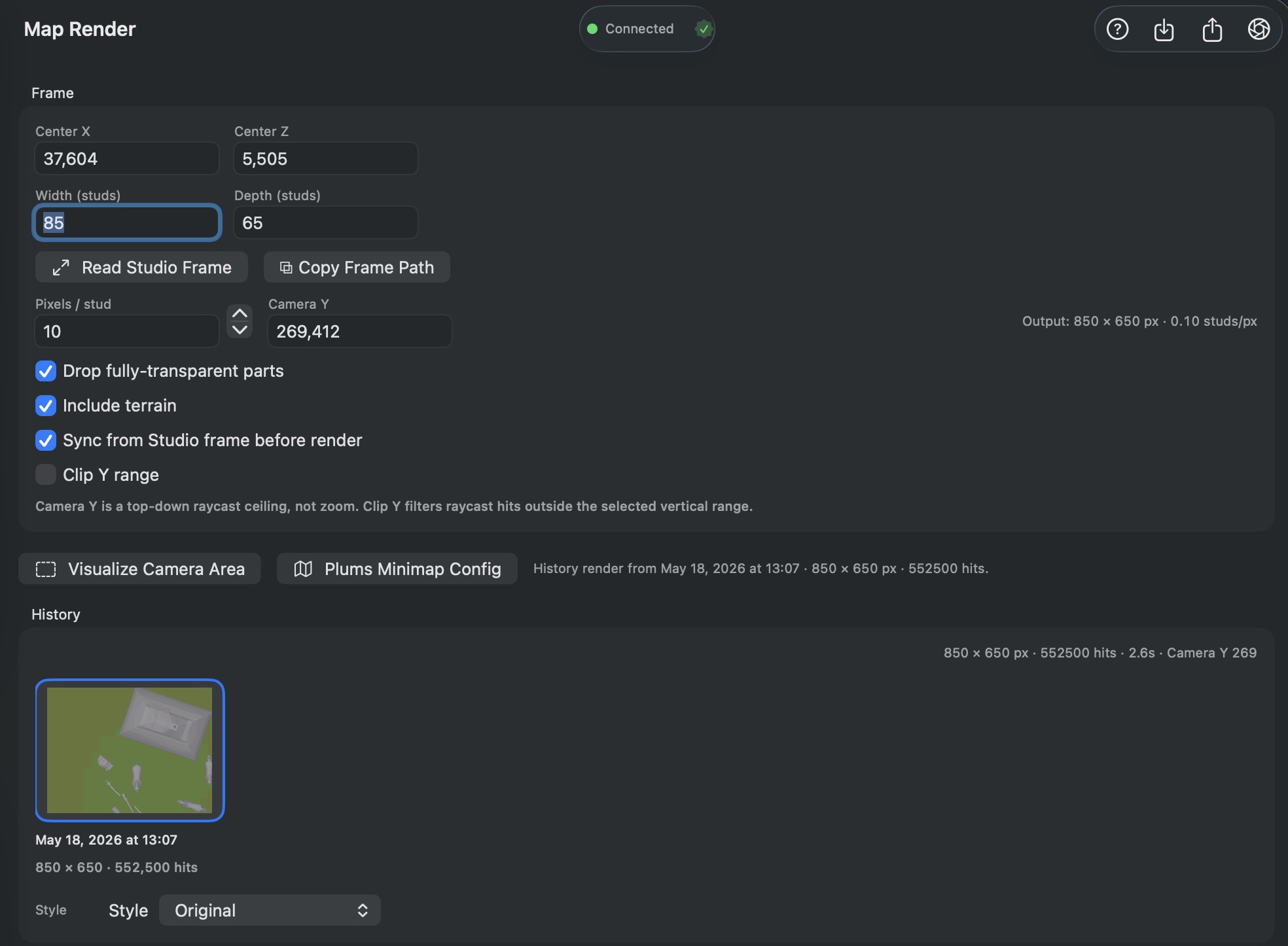
- Configure the render frame:
- Center X / Z: The center of the render area (in studs).
- Width / Depth: The size of the area to render.
- Pixels per Stud: Resolution control — higher values produce sharper (but larger) images.
- Camera Y: Height of the virtual orthographic camera above the map.
- Options:
- Drop fully transparent parts: Exclude invisible geometry.
- Include terrain: Render terrain in addition to parts.
- Sync from Studio: Pull the frame from workspace bounds before rendering.
- Clip Y range: Only render geometry within a vertical band.
- Click Render — progress streams in real time from Studio.
- Review the result:
- Preview the rendered PNG.
- Save as PNG to disk.
- Upload directly as a decal to Roblox.
Extras
- Plums Minimap config: Generates a Lua configuration snippet for the Plums Minimap plugin.
- Visualize Camera Area: Places a temporary frame part in Studio showing the render boundary.
- Read Studio Frame: Imports frame position/size from a manual placement in Studio.
- History: Past renders saved per-place with thumbnails, metadata, and timestamps.
Help & Tips
- Resolution math: The output dimensions in pixels =
width × pixelsPerStudbydepth × pixelsPerStud. A 1024×1024 map at 1 pixel/stud produces a 1024×1024 PNG. At 4 pixels/stud it is 4096×4096. - Raycast cost: Rendering sends one raycast per pixel. A 2048×2048 render is 4 million raycasts. Start with lower resolutions and scale up when you are happy with the framing.
- Create branded thumbnails: Render a clean top-down map, then overlay it with text in Image Tools or an external editor for YouTube thumbnails and game icons.
- Terrain adds time: Including terrain significantly increases raycast count. Disable it during test renders.
FAQ
How long does a render take?
Depends on resolution, part count, and terrain. A 512×512 render of a typical place completes in under 30 seconds. A 4096×4096 render of a dense map can take several minutes.
Why are some parts missing from the render?
Transparent parts (if Drop fully transparent parts is on), parts outside the clip Y range, and parts in ServerStorage or ServerScriptService are excluded.
Can I render interiors?
Map Render is top-down orthographic, so it captures rooftops and the highest surfaces. For interiors, try adjusting the Clip Y range to bracket the interior height.
Does this require an internet connection?
No — the render is done entirely locally via Studio raycasts. No asset data is uploaded.