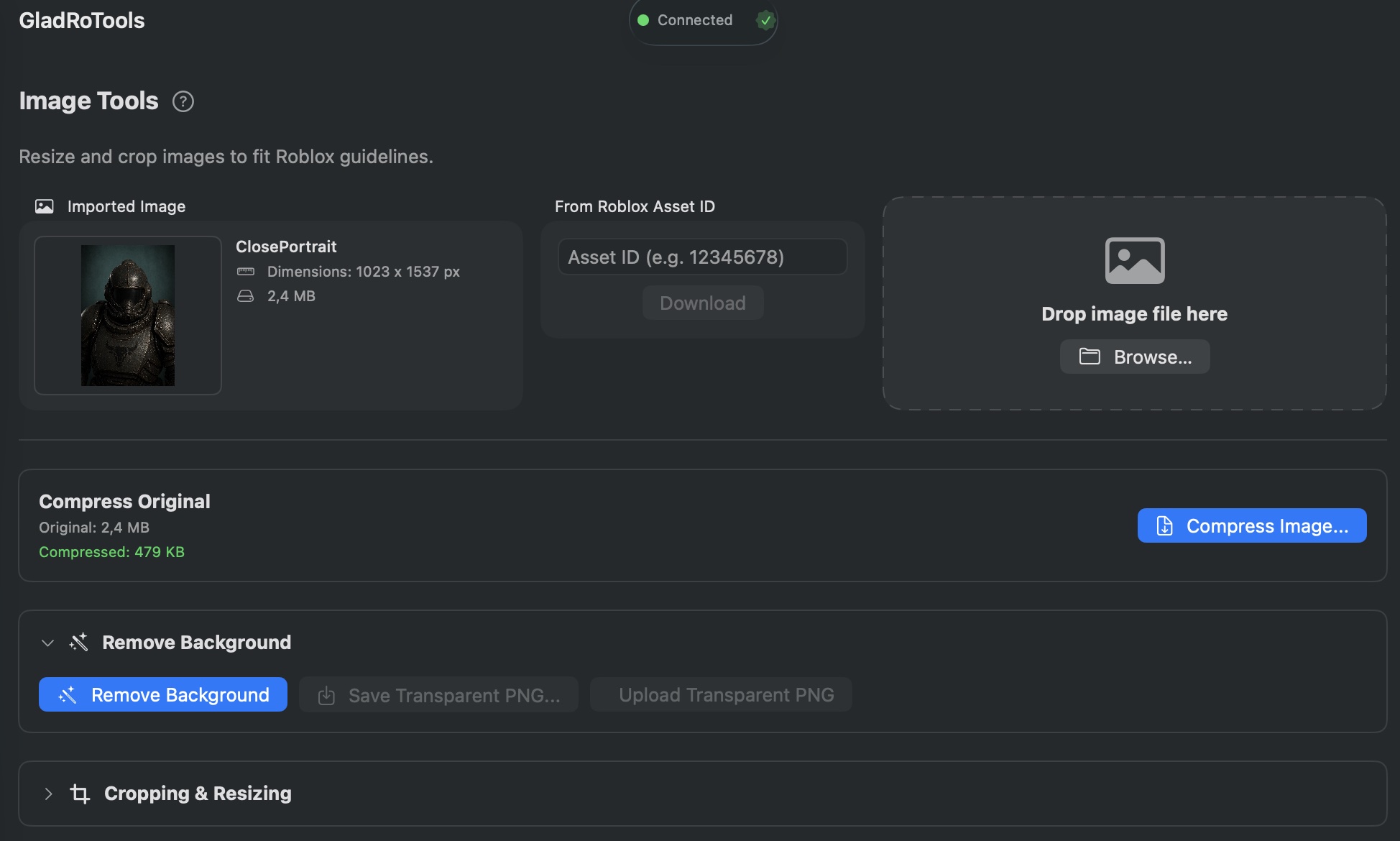
Image Tools is a standalone image preparation utility for Roblox. Import an image by Roblox Asset ID or local file, then compress it, remove its background, crop it to Roblox-specific dimensions, and upload the result as a decal.
How to Use
Import
- By Roblox Asset ID: Enter the ID and the app downloads the image after you sign in with Roblox.
- By local file: Drag and drop an image onto the window, or click Choose File.
JPEG Compression
- Click Compress to produce an 85% quality JPEG.
- The app compares original and compressed sizes side by side.
- Save the compressed version with Save Compressed.
Background Removal
- Uses Apple’s Vision framework (on-device, no cloud upload).
- Click Remove Background to isolate the foreground subject and produce a transparent PNG.
- Works best with clear subjects (characters, items, logos).
Crop & Resize
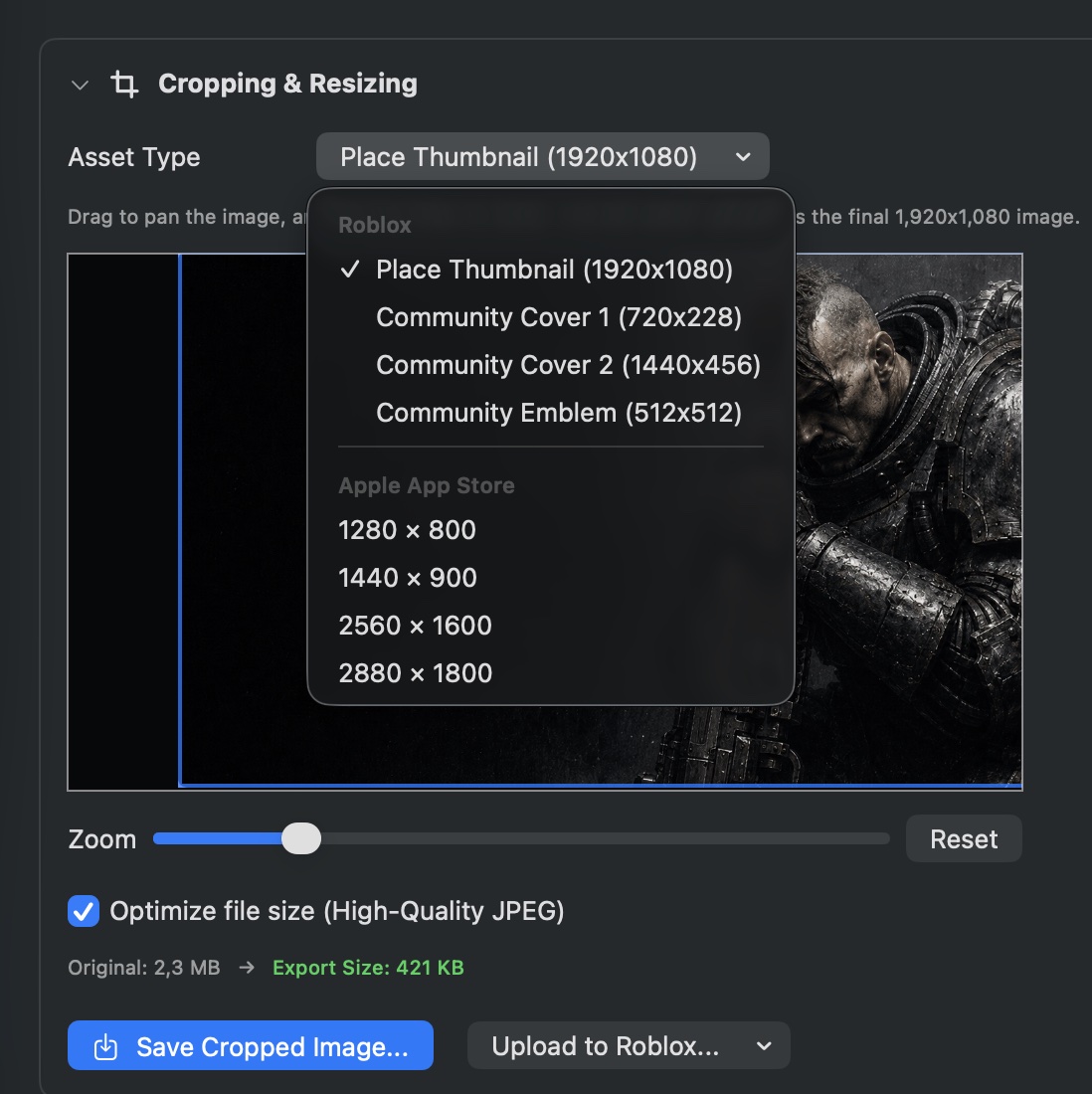
- Interactive crop area: Drag to pan, use the slider to zoom.
- Roblox presets:
- Place Thumbnail (1920×1080)
- Community Cover 1 (720×228)
- Community Cover 2 (1440×456)
- Community Emblem (512×512)
- Real-time projected file size shown before saving.
- Click Save Cropped to export the cropped PNG.
Upload
- Any processed image (original, compressed, transparent PNG, cropped PNG) can be uploaded to Roblox as a decal via the embedded Asset Upload panel.
Help & Tips
- On-device processing: Background removal runs entirely on your Mac via Apple’s Neural Engine. No image data leaves your machine.
- File size awareness: The cropping panel shows projected file sizes in real time so you can balance quality against budget.
- Trial-and-error friendly: Undo is as simple as re-importing the original image.
FAQ
How good is the background removal?
It uses VNGenerateForegroundInstanceMaskRequest, the same model behind Apple’s Visual Look Up. It works well on photos with a clear subject. Results on abstract images or patterns vary.
Can I process multiple images at once?
Not yet. Image Tools works on one image at a time.
What image formats are supported for import?
PNG, JPEG, BMP, TIFF, and HEIC.