Release Checklist validates every asset your place references before you ship. It downloads each asset and checks for broken references, oversized images, heavy meshes, duplicate content, and risky script patterns. The goal: catch problems before your players do.
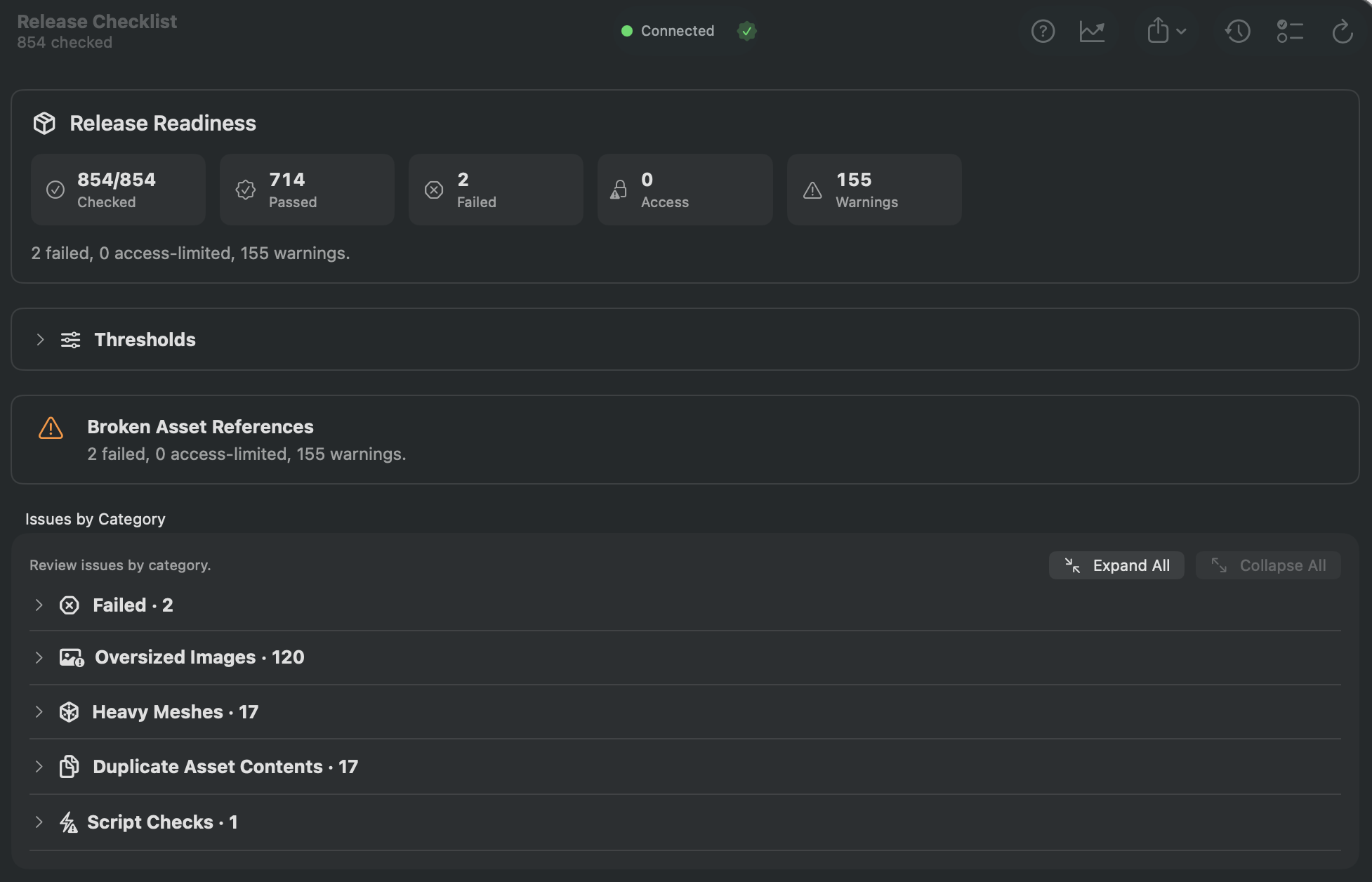
How to Use
- Click Release Checklist in the sidebar (requires GladRoTools Pro).
- Configure thresholds:
- Max image dimension (default: 1024 px).
- Max image byte size (default: 500 KB).
- Max mesh triangles (default: 5,000).
- Click Run Checklist.
- Review results by category:
Checks Performed
| Check | What It Flags |
|---|---|
| Broken References | Assets that fail to download — they will appear as missing in-game. |
| Access-Limited | Assets that exist but are permission-restricted — may break for other users. |
| Oversized Images | Images exceeding your pixel or byte thresholds — slow to download on mobile. |
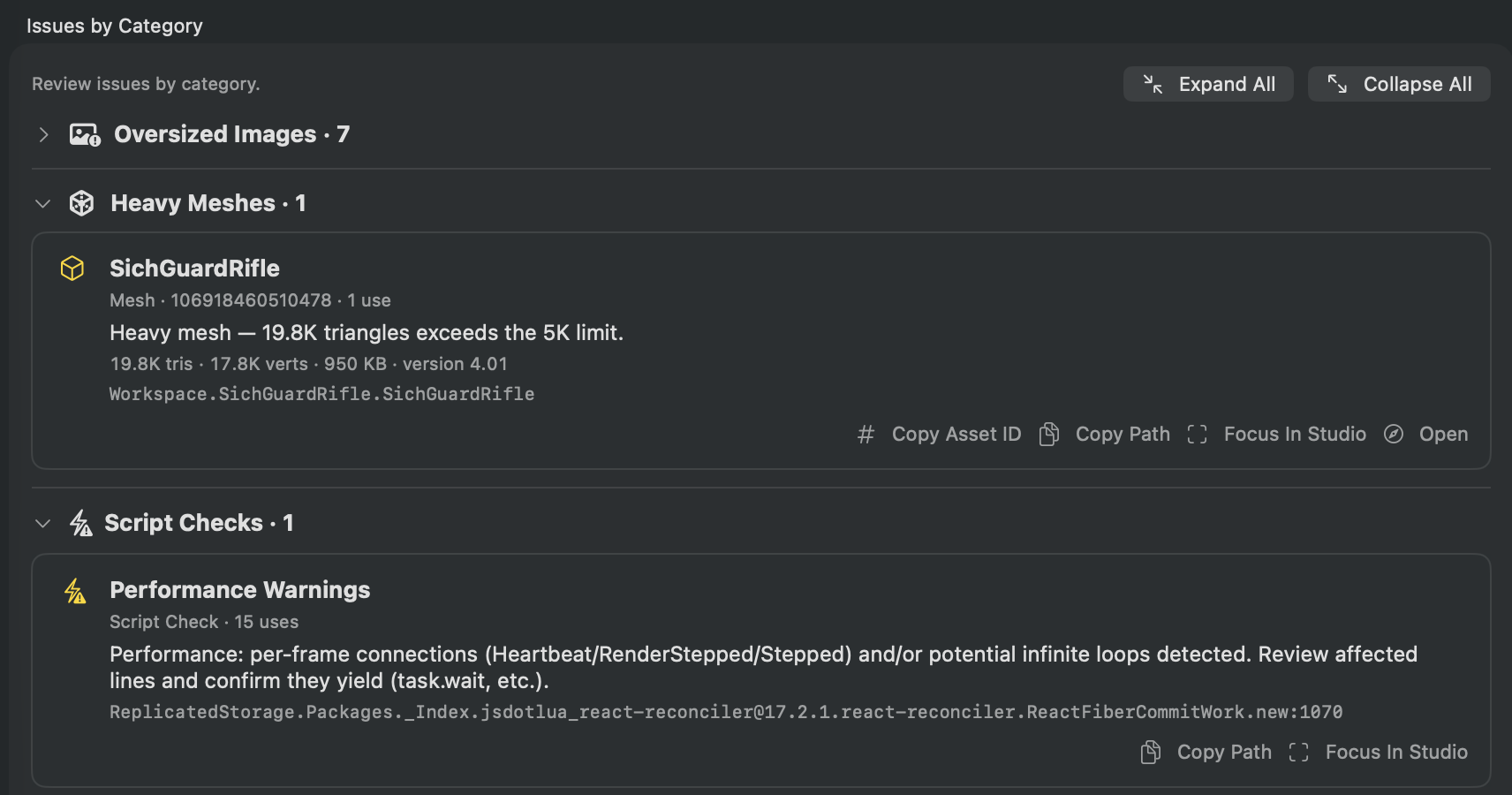
| Heavy Meshes | Meshes exceeding your triangle threshold — expensive to render. |
| Duplicate Content | Same bytes under multiple asset IDs — wasted uploads. |
| Script Patterns | Per-frame connections (Heartbeat, RenderStepped), potentially infinite loops. |
- Export results as Markdown or PDF for your team or release notes.
- View Improvements Tracking to see how many issues you have fixed across runs.
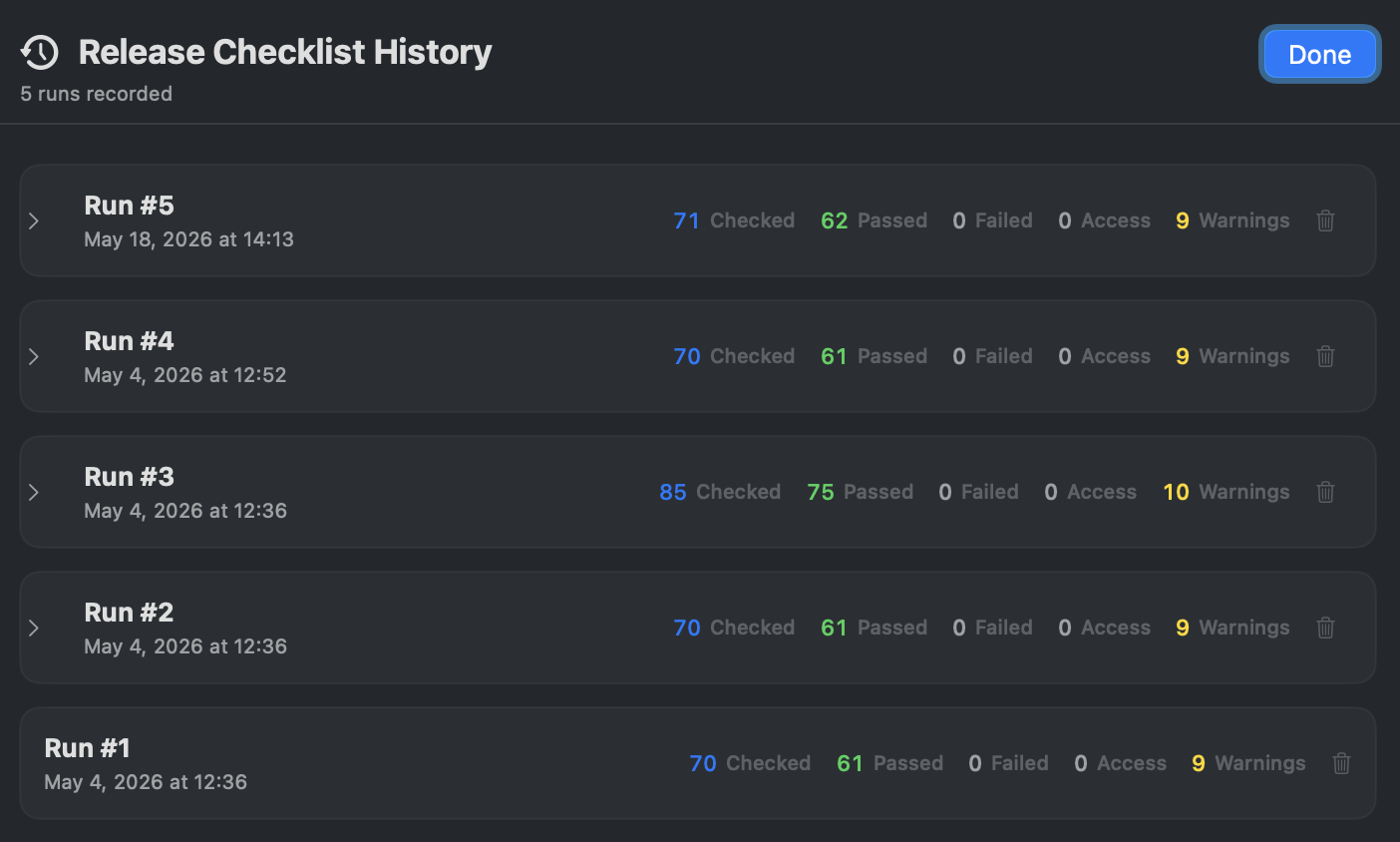
- Browse History to compare checklist snapshots over time.
Help & Tips
- Run before every release. The checklist is your last line of defense. Make it part of your release workflow.
- Duplicate content saves Robux: Finding duplicate bytes means you can delete the redundant asset IDs and re-link instances, saving upload costs and download time.
- Improvements tracking is motivating: The persistent stats show cumulative issues fixed. It is satisfying to watch the numbers go up over multiple releases.
- Requires Roblox Sign In: Full functionality (downloading asset bytes for size verification, duplicate detection) requires signing in with your Roblox account.
FAQ
What is the difference between Performance Audit and Release Checklist?
Performance Audit scores your place against budget presets for ongoing optimization. Release Checklist is a pass/fail validation for shipping — it focuses on broken references, oversized assets, and duplicates that would directly impact players.
Can I ignore specific items?
Yes. Use the exclusion list to mark known-and-accepted items so they do not re-appear on every run.
Does the checklist modify my place?
No. It is read-only validation. It reports issues for you to fix manually in Studio.