The RBXM/Asset Analyzer is a security inspection tool for .rbxm and .rbxmx model/package files. Before you import a free model or third-party asset into your game, drop it into the Analyzer to see exactly what is inside — scripts, asset references, and potential red flags.
Example of the Toolbox package that is very invasive:
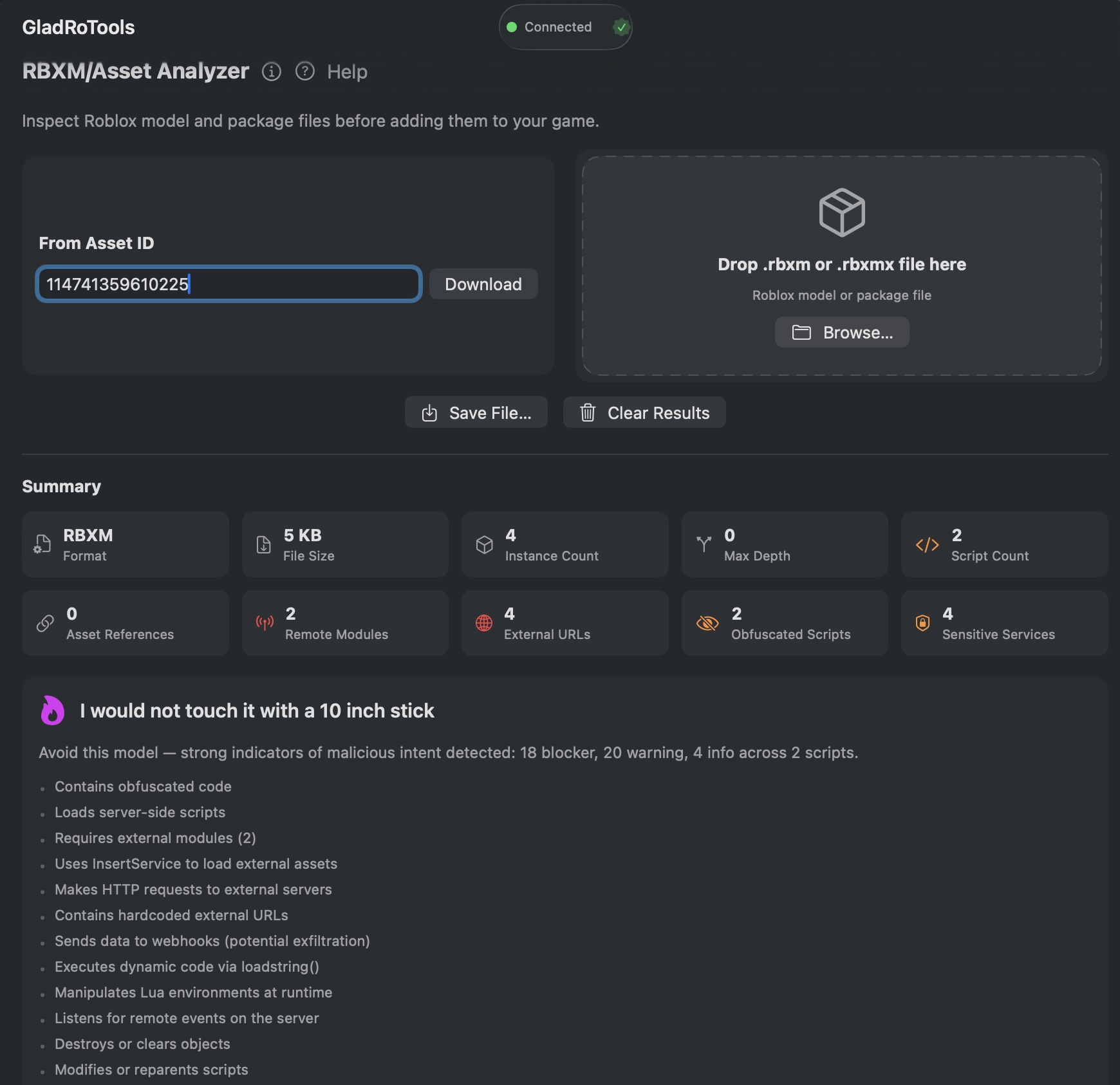
How to Use
-
Click RBXM/Asset Analyzer in the sidebar.
-
Import a model:
- By Roblox Asset ID: Enter the ID and the app downloads the file after you sign in with Roblox.
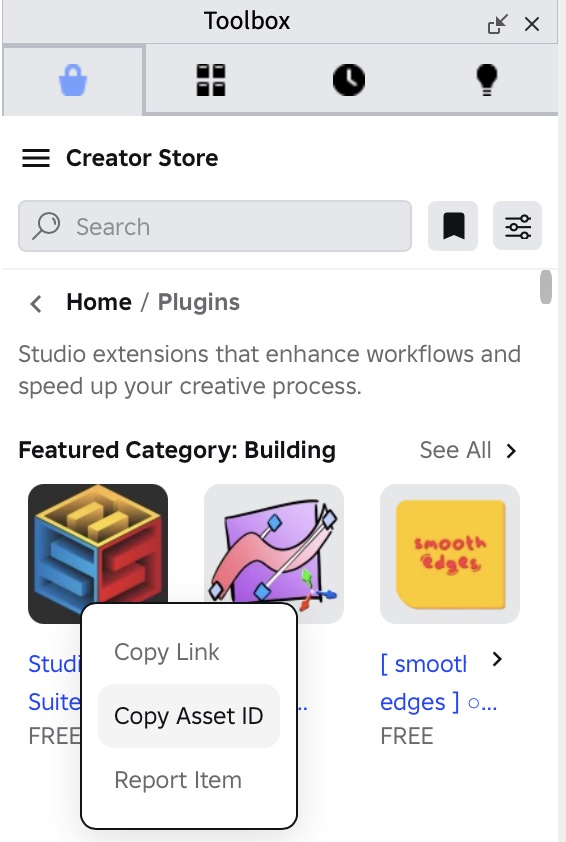
- You can find Asset ID from the Toolbox context menu. Just right click on the asset you want to analyze:
- By local file: Drag and drop an
.rbxmor.rbxmxfile onto the window.
-
The app decompresses and parses the XML binary, then shows:
Summary
- File format, file size, instance count, maximum tree depth, script count, and asset reference count.

Risk Rating
A color-coded overall rating:
| Rating | Meaning |
|---|---|
| Good | No issues found. Safe to use. |
| OK | Minor findings but nothing dangerous. |
| Warning | Potentially concerning content — review carefully. |
| Would Not Touch | Multiple serious findings. Likely malicious. |
| Honeypot | Clear malicious intent. Do not import. |
Instance Tree
- An interactive collapsible tree of every instance in the model.
- Color-coded icons: green (clean), orange (warning), red (blocker), blue (asset references).
- Click any node to inspect its properties.
Asset References
- A table of every Roblox asset ID referenced in the model.
- Inferred asset types and sortable columns.
Security Findings
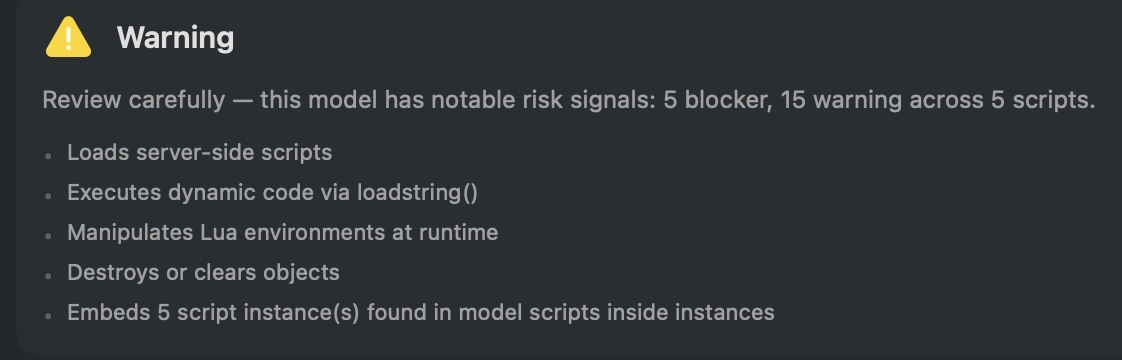
The analyzer detects:
- Remote module loads (
require()with external IDs) — potential data exfiltration. - External URLs and webhook URLs — could send player data to third-party servers.
- Obfuscated script payloads — heavily encoded or minified scripts that hide their purpose.
- Sensitive service usage — TeleportService, MarketplaceService, DataStoreService, etc.
- Per-frame connections —
HeartbeatorRenderSteppedloops that run every frame. - Potentially infinite loops —
while truepatterns without yields.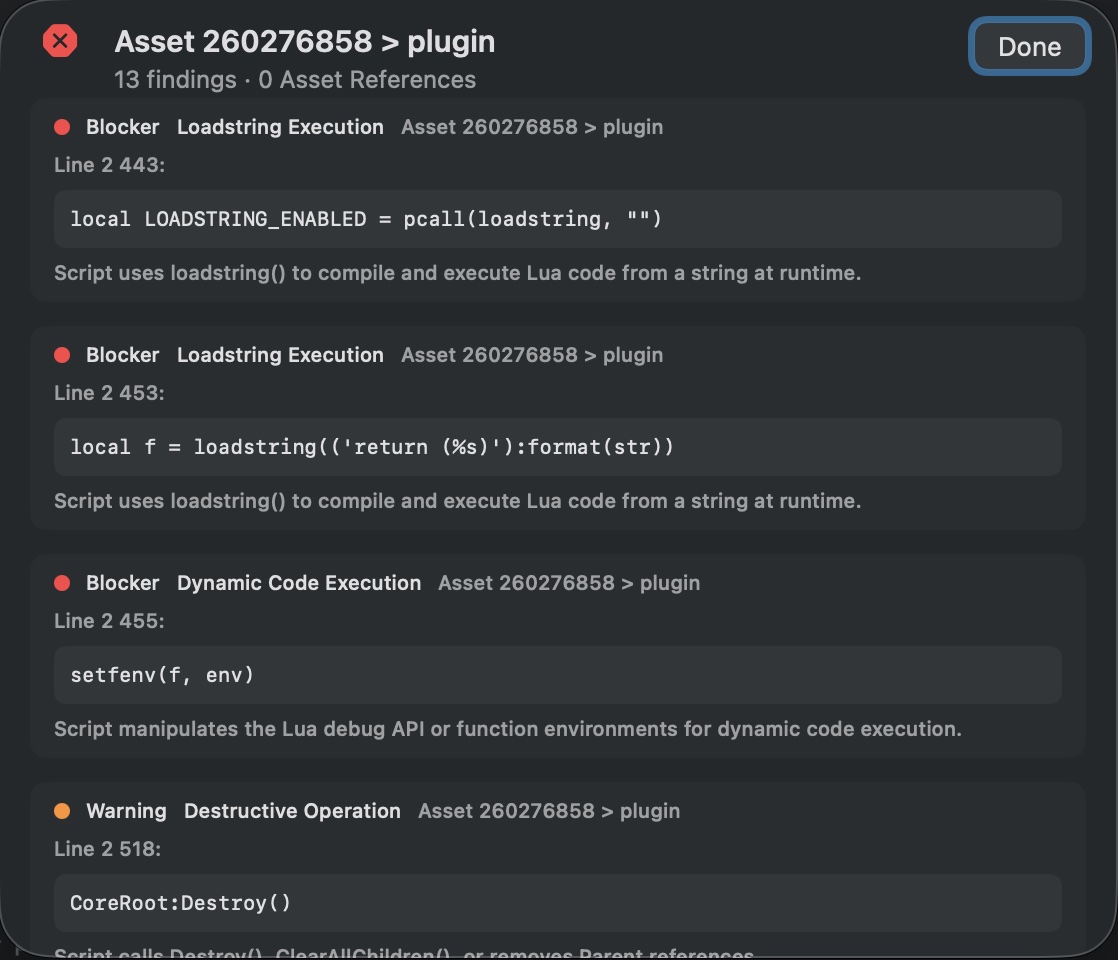
Help & Tips
- Always scan free models. The Analyzer is your first line of defense before importing untrusted assets.
- Obfuscated code is a red flag. Legitimate models rarely obfuscate their scripts. If you see
ByteStringValueor heavily encoded strings, be suspicious. - Save models locally: Use Save File to download a copy of the model to your Mac for offline inspection.
FAQ
Does the Analyzer execute any scripts?
No. It parses the XML structure of .rbxm/.rbxmx files statically. No Lua code is executed.
Can it detect every malicious model?
It catches common patterns, but determined attackers can bypass static analysis. The Analyzer is a valuable first check, not a guarantee. Always review suspicious models manually.
What is the difference between .rbxm and .rbxmx?
.rbxm is the binary XML format. .rbxmx is the human-readable XML format. The Analyzer handles both.
Can I analyze a model I already have in my place?
Export the model from Studio as an .rbxm file, then open it in the Analyzer. There is no direct “analyze selection from Studio” action yet.