Omarchy stuff
Tools, plugins, watch apps and themes I published for Omarchy, an Arch Linux desktop with a Quickshell bar. Install a plugin with omarchy plugin add <url> --enable, or a theme with omarchy theme install <url>.
Browse them on GitHub under @gladimdim or in the Omarchy plugin marketplace.
SUPER DESKTOP
SUPER DESKTOP is a hidden overlay workspace for Hyprland / Omarchy: press SUPER + SHIFT + Q and sticky notes and mini AI-terminal cards slide in from the screen edges, press it again and the desktop is clean while every session keeps running in background tmux. The notes are draggable and autosave, follow the active Omarchy theme and update the moment you switch themes; each terminal card is a real Claude Code, Codex, Reasonix or shell session with iconify, edge resize, stacking and a dotted ghost outline when a card is covered, an Alt-hold picker for raising a terminal by digit, referenced-file previews (images, GIFs, PDFs, Markdown, code), a pointer-only hot corner, an optional encrypted phone bridge, and PC-to-PC workspace sharing.
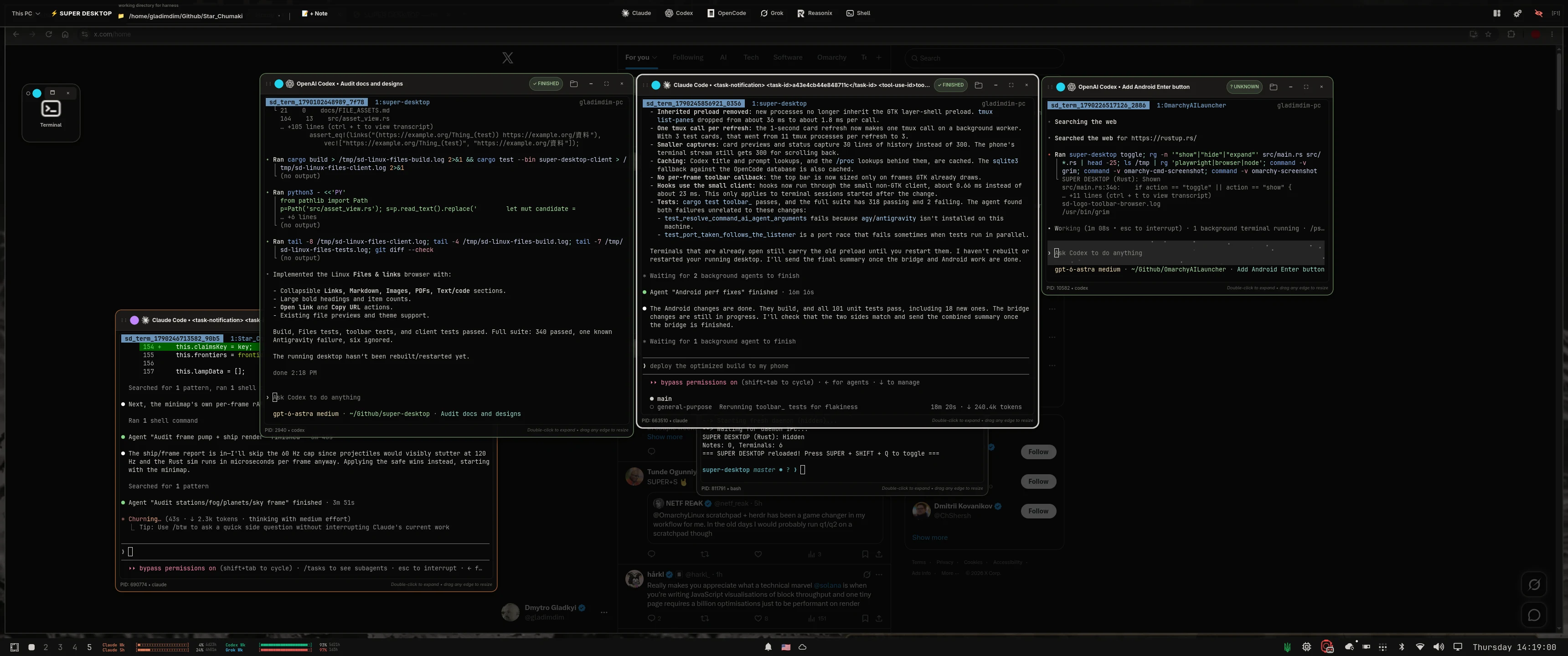 A live Omarchy desktop with the overlay open: sticky notes, three AI harness cards and the SUPER DESKTOP control bar.
curl -fsSL https://raw.githubusercontent.com/gladimdim/super-desktop/master/install.sh | bashThe SUPER DESKTOP Android app is on Google Play: every agent session on your PCs shows up on your phone, you type on the phone and it runs on the PC, and you get an alert when an agent finishes. It talks to your PC directly over your Wi-Fi or Tailscale, encrypted, with no accounts. Connect your phone →
Feature tour and screenshots: superdesktop.dmytrogladkyi.com · Android app: Google Play · Source: gladimdim/super-desktop
Plugins
Config Sync
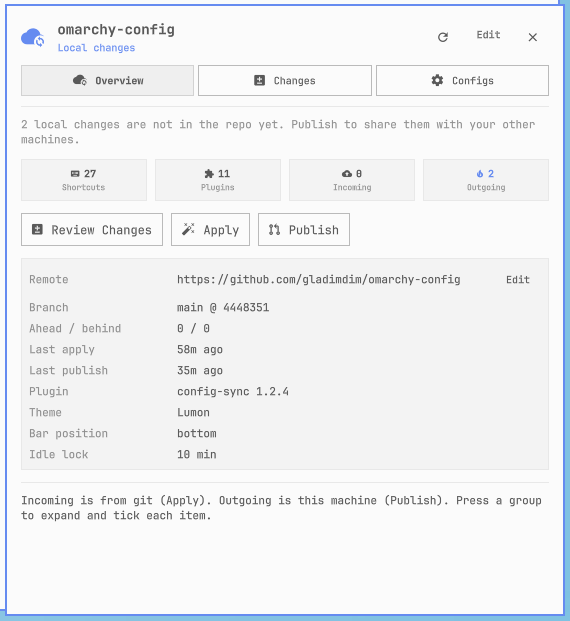
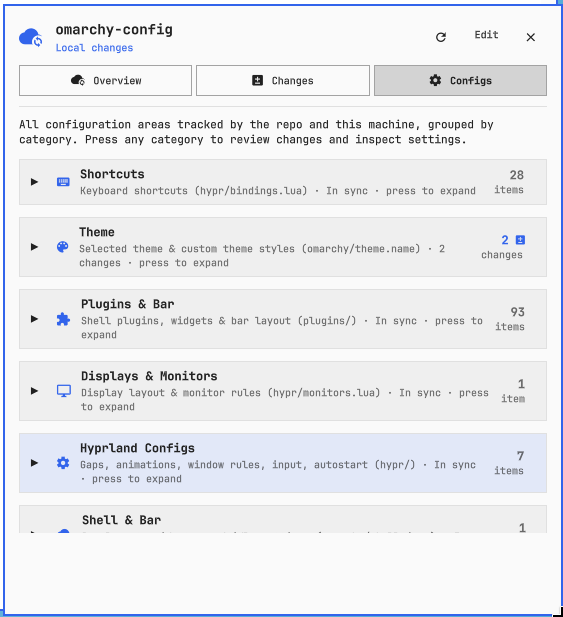
gladimdim.config-sync — sync Hyprland shortcuts, themes, plugins, and other Omarchy config between machines through a private git repo.


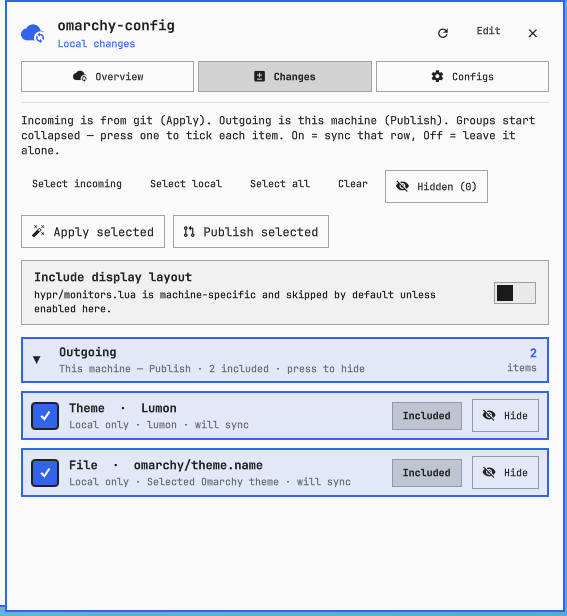 Changes: what this machine has that the repo does not.
omarchy plugin add https://github.com/gladimdim/omarchy-config-sync-plugin --enable --yesHardware Info
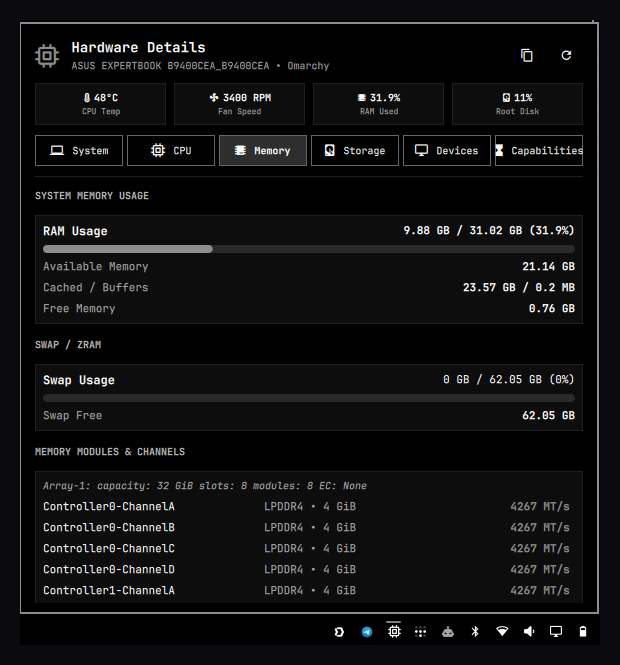
gladimdim.hardware.info — status-bar hardware inspector: CPU, RAM, storage, GPU, thermals, and a JSON export.
omarchy plugin add https://github.com/gladimdim/omarchy-hardware-info-plugin --enableAI Usage Bar
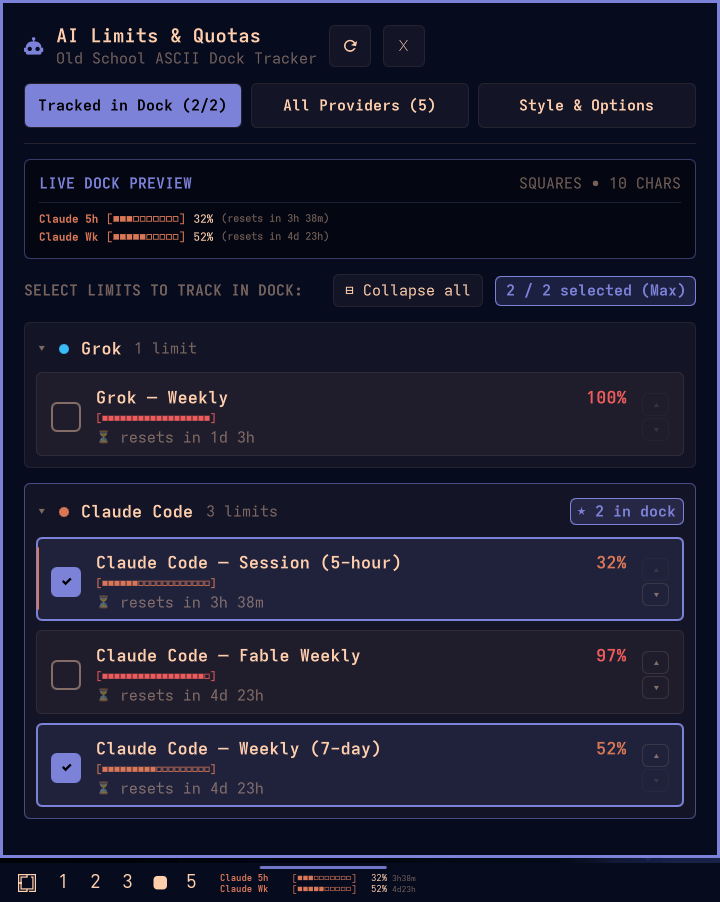
gladimdim.ai-limits — ASCII progress bars in the dock for Claude Code, Grok, Codex, Antigravity, and other local AI quotas.
omarchy plugin add https://github.com/gladimdim/omarchy-ai-usage-bar.git --enableAI Watch Bridge
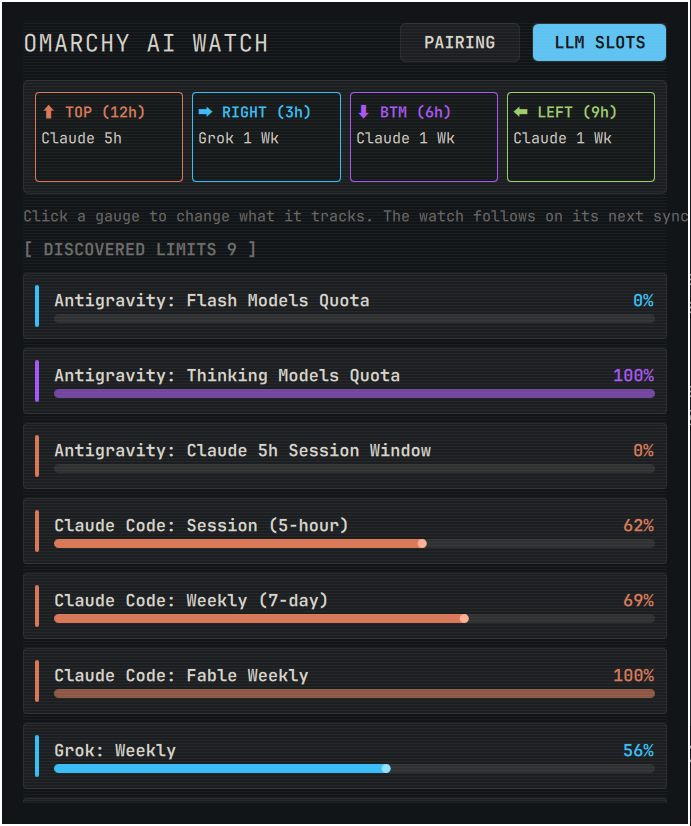
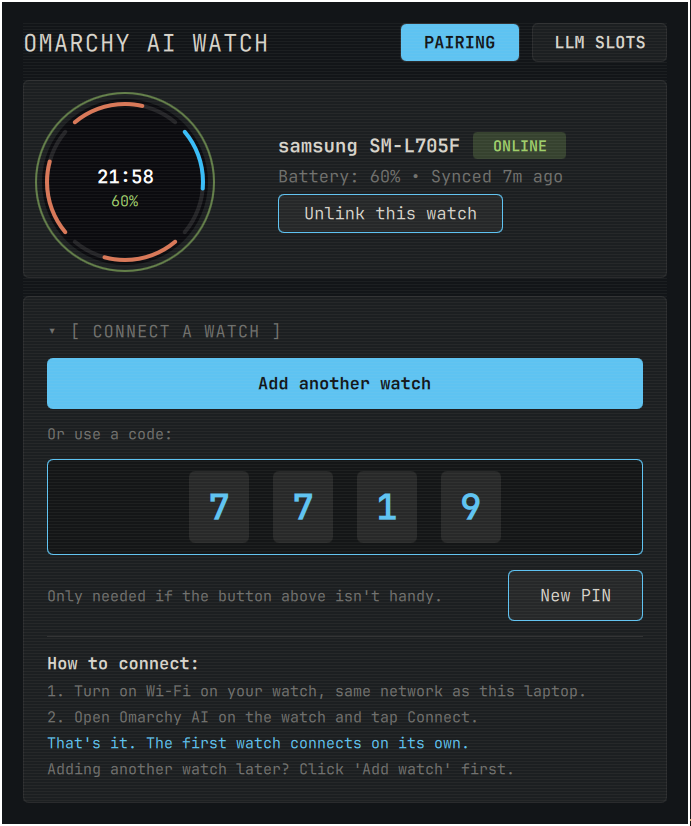
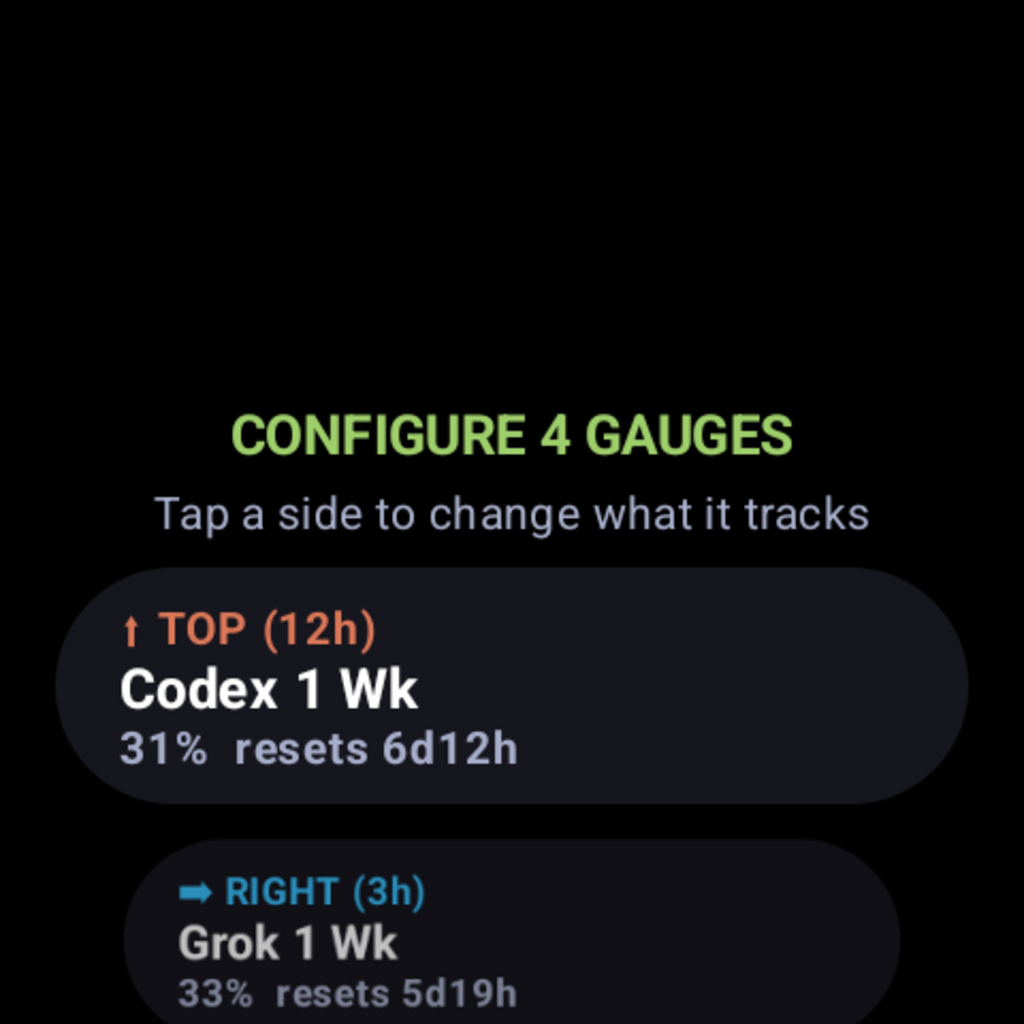
gladimdim.omarchy-ai-watch — bar widget and local daemon that serve those AI quotas to a Wear OS watch. The widget’s Setup tab starts the daemon, advertises it over mDNS (_omarchy-ai._tcp) and opens the firewall; the watch finds the laptop by subnet sweep on TCP 8765 and asks for approval, and you pick which limit each of the watch face’s four slots tracks. The wrist side is Omarchy AI Usage — watch apps, further down this page.

omarchy plugin add https://github.com/gladimdim/omarchy-ai-companion.git --enableToday Reminders
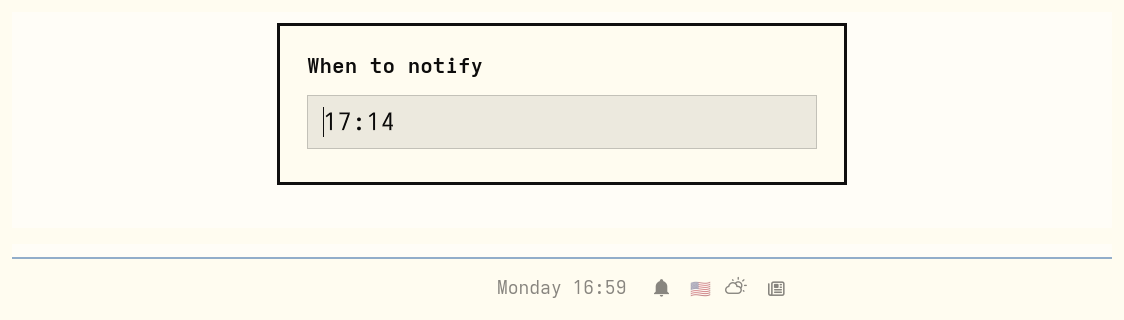
gladimdim.today-reminders — set a reminder for later today from the center bar; it notifies once and does not roll into tomorrow.
omarchy plugin add https://github.com/gladimdim/omarchy-today-reminders.git --enable --yesAir Raid Alert Ukraine
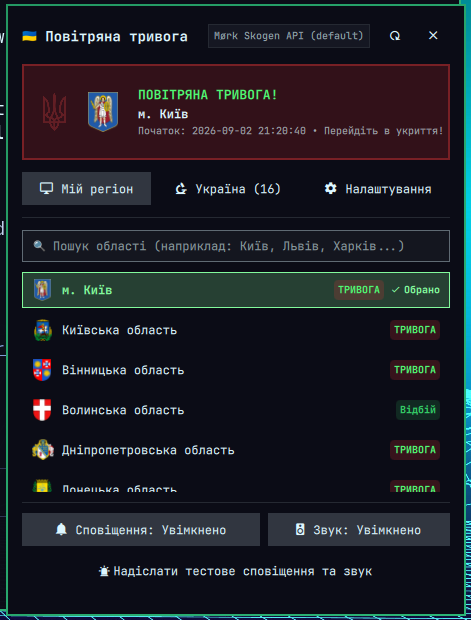
gladimdim.air-raid-alert — live повітряна тривога status in the bar, oblast picker, desktop notifications, and a siren.
omarchy plugin add https://github.com/gladimdim/omarchy-air-raid-alert-ukraine-plugin.git --enableOmarchy AI Usage — watch apps
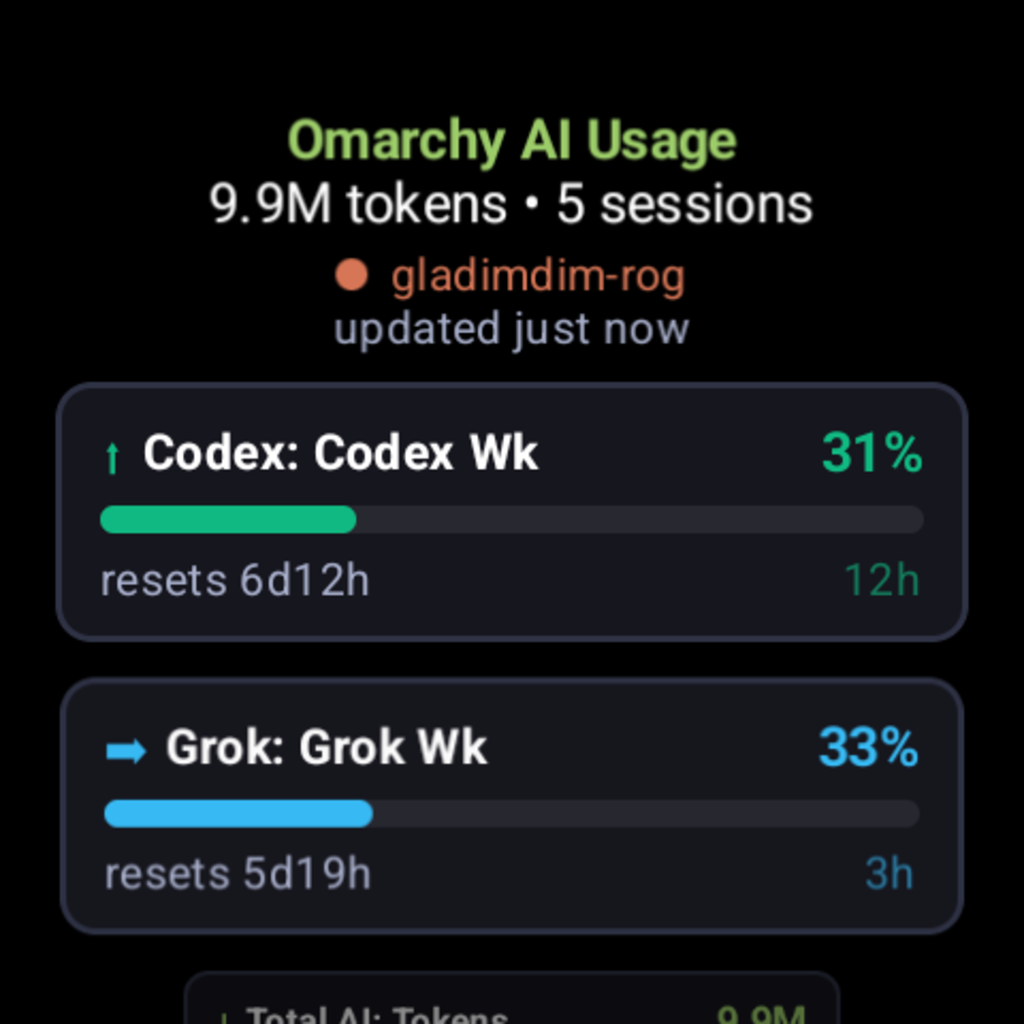
The quotas the AI Usage Bar tracks, moved from the dock to your wrist: a Wear OS companion app with its own watch face, both live on Google Play and both fed by the AI Watch Bridge plugin on the laptop — no account, no cloud, the numbers go straight from your machine to the watch over the local network. Below them are two stand-alone Omarchy watch faces for Galaxy Watch and Garmin that need nothing but the watch itself.
Omarchy AI Usage — Wear OS app
com.gladimdim.omarchy.ai.watch — the four gauges, today’s tokens and sessions, and an honest account of whether any of it is current. A gauge configurator points any side of the dial at any limit the laptop has discovered; the app finds the laptop by sweeping the local subnet and asks it to approve; quota alerts buzz when a tracked limit rolls over to a new window or hits 100%; background sync runs every 5 minutes over Wi-Fi. It also publishes five complication data sources (Slot1Top, Slot2Right, Slot3Bottom, Slot4Left and Smart, which follows whichever quota is closest to running out), so the numbers work on any watch face, not just this one. Wear OS 3+.
Omarchy AI Usage Watchface — Wear OS
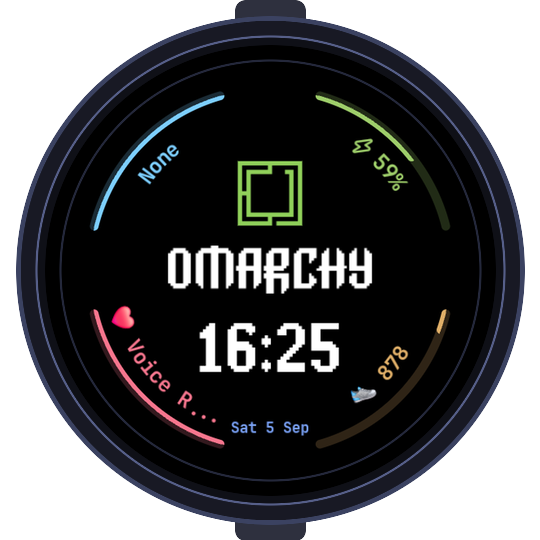
com.gladimdim.omarchy.ai.watch.watchface — Watch Face Format v2: four arcs, one per quota, each labelled with the limit’s name and percentage around a pixel-font clock, date and the Omarchy arch. The arcs name the app’s complication services directly, so they populate the moment the face is selected; background and logo colour are pickable, and always-on falls back to true black. Wear OS 5+.
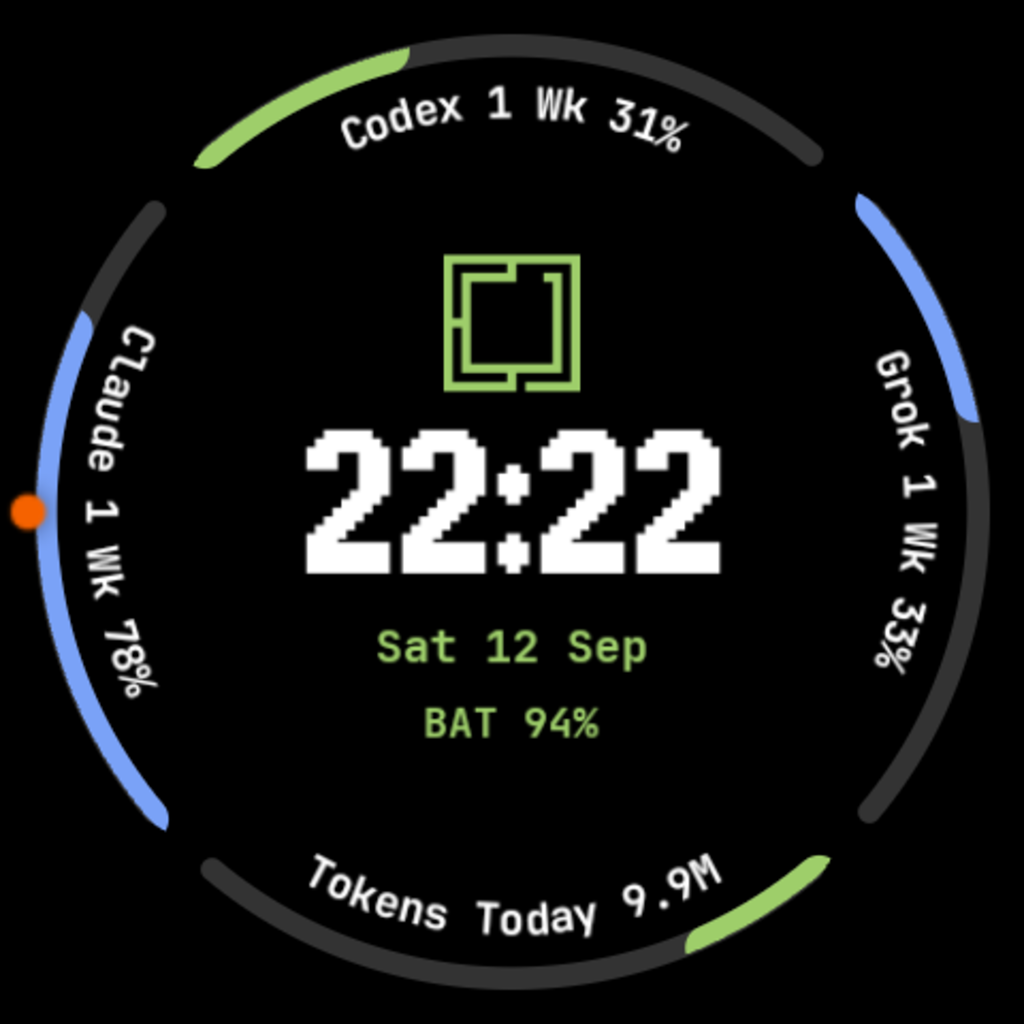
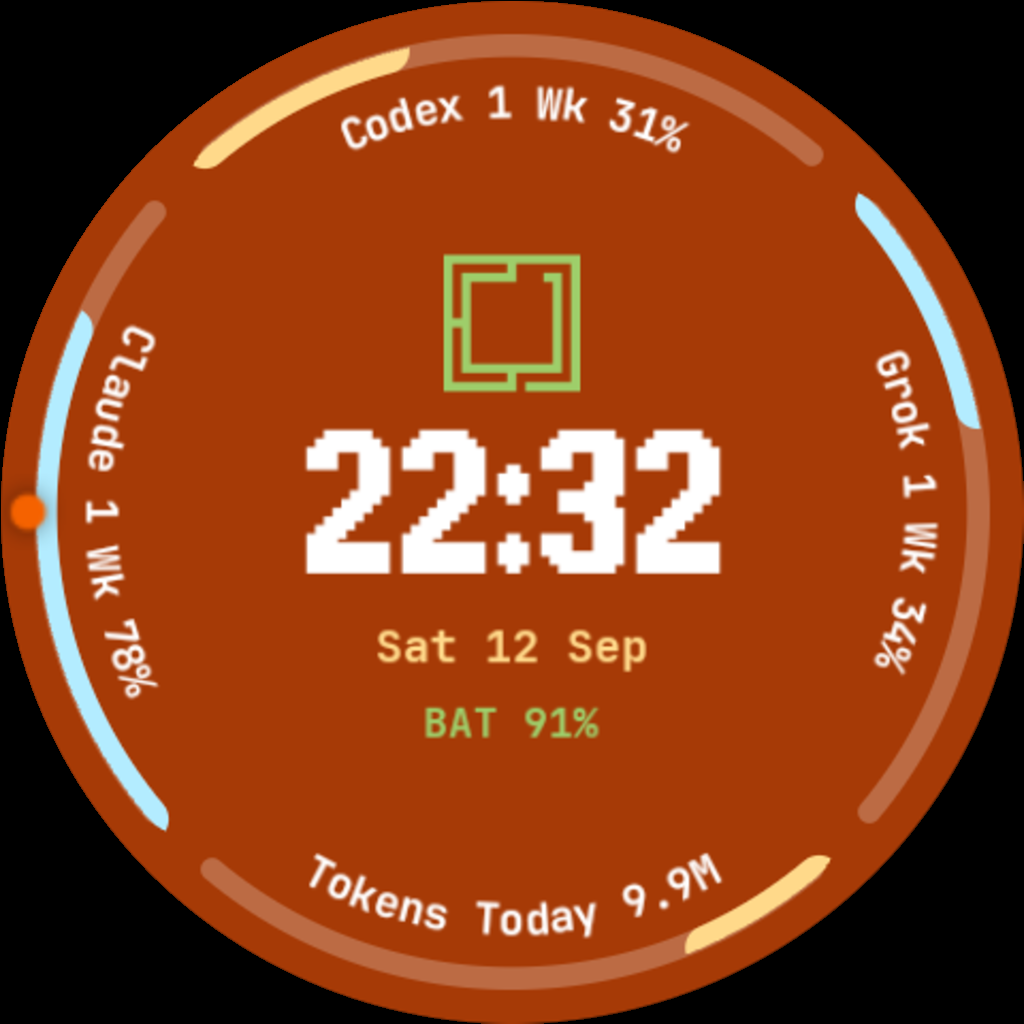
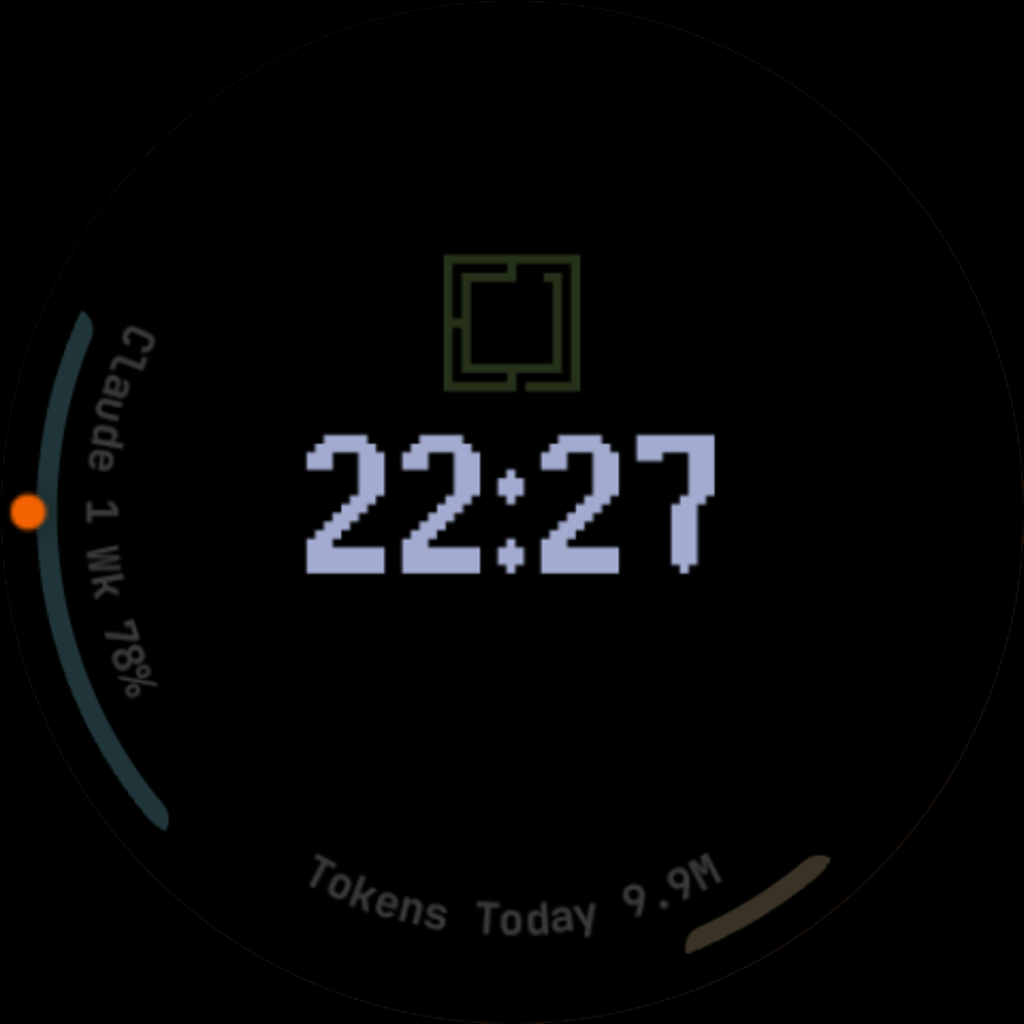
Both listings ship together but install separately: a Watch Face Format face has no code, so the face draws the arcs and the app supplies the numbers. Source · Bridge and setup guide
Omarchy Galaxy Watch face — Galaxy Watch
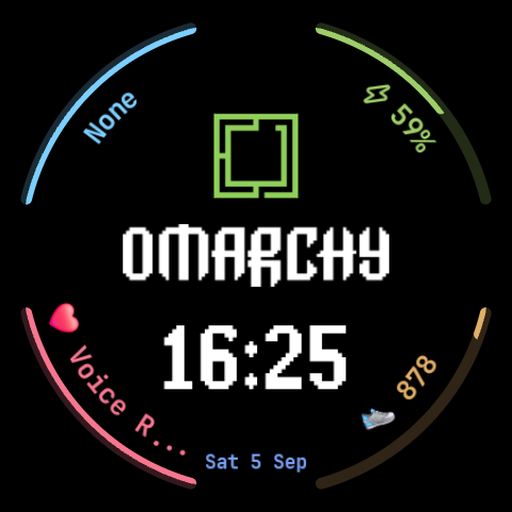
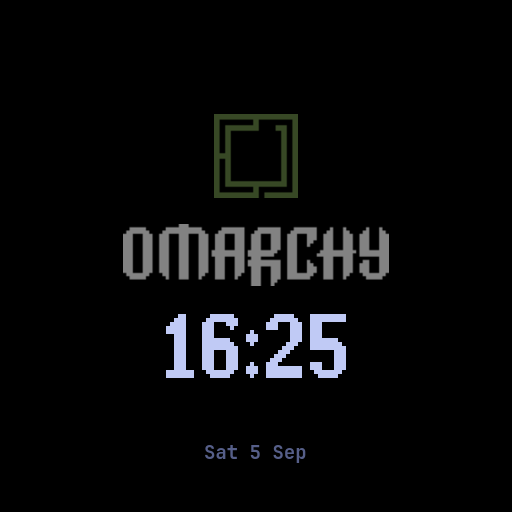
A second Watch Face Format v2 face, this one for Samsung Galaxy Watch 4 and newer (Watch 5, 6, 7 and Watch Ultra): the Omarchy arch in official green and the pixel OMARCHY wordmark in JetBrains Mono, with four complication arcs that can show battery, steps, heart rate and weather or the next event — and act as one-tap launchers. Always-on drops to #000000 with dimmed branding, and every slot is reassignable to any installed app. Sideload it over Wi-Fi ADB with the repo’s ./deploy.sh. Source
Omarchy: a Garmin watch face — Garmin
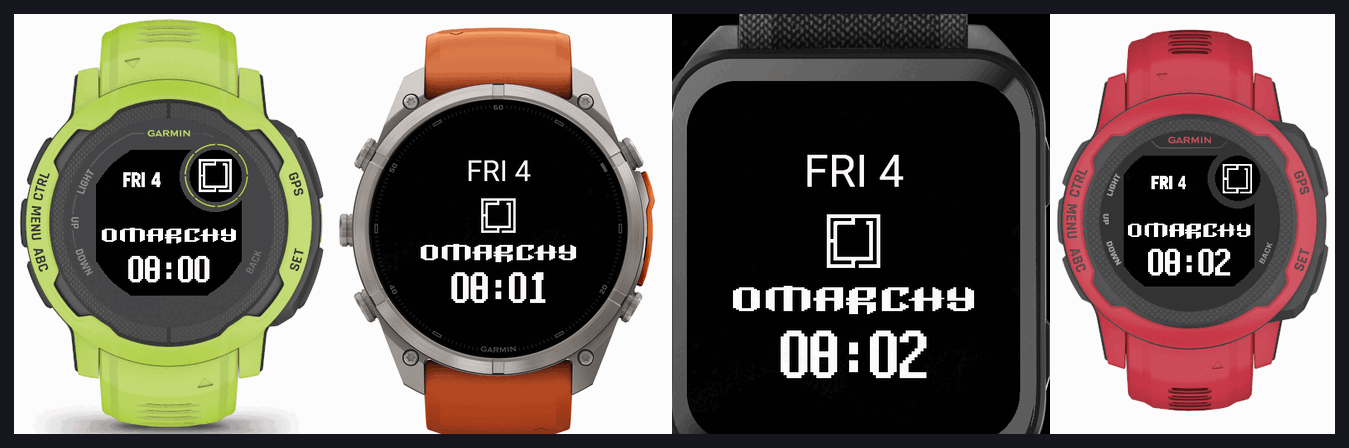
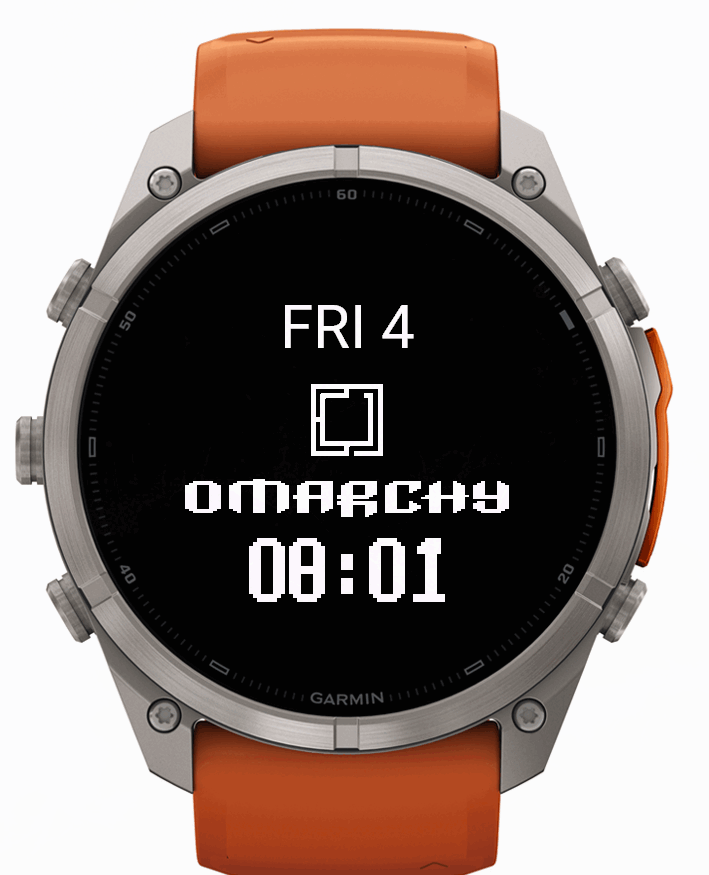
The Garmin take on the same look: weekday and day number, the square Omarchy mark, the OMARCHY wordmark and a clock in matching block glyphs. No permissions, no network, no sensors — it is built first for the Instinct’s two-colour sunlight display, so it stays legible in direct sun, and on AMOLED watches the always-on mode drifts the mark and time to prevent burn-in. Sixty products, eighty device builds, from the one-bit Instinct to the round and rectangular AMOLED fenix, Venu and Forerunner families. Build and deploy for your own device with ./build.sh <product-id>. Source
Themes
Loca Deserta Dark
Far-future Loca Deserta palette: white hulls on void charcoal, plasma-blue accents, DARYA-class warp-carrier wallpapers.
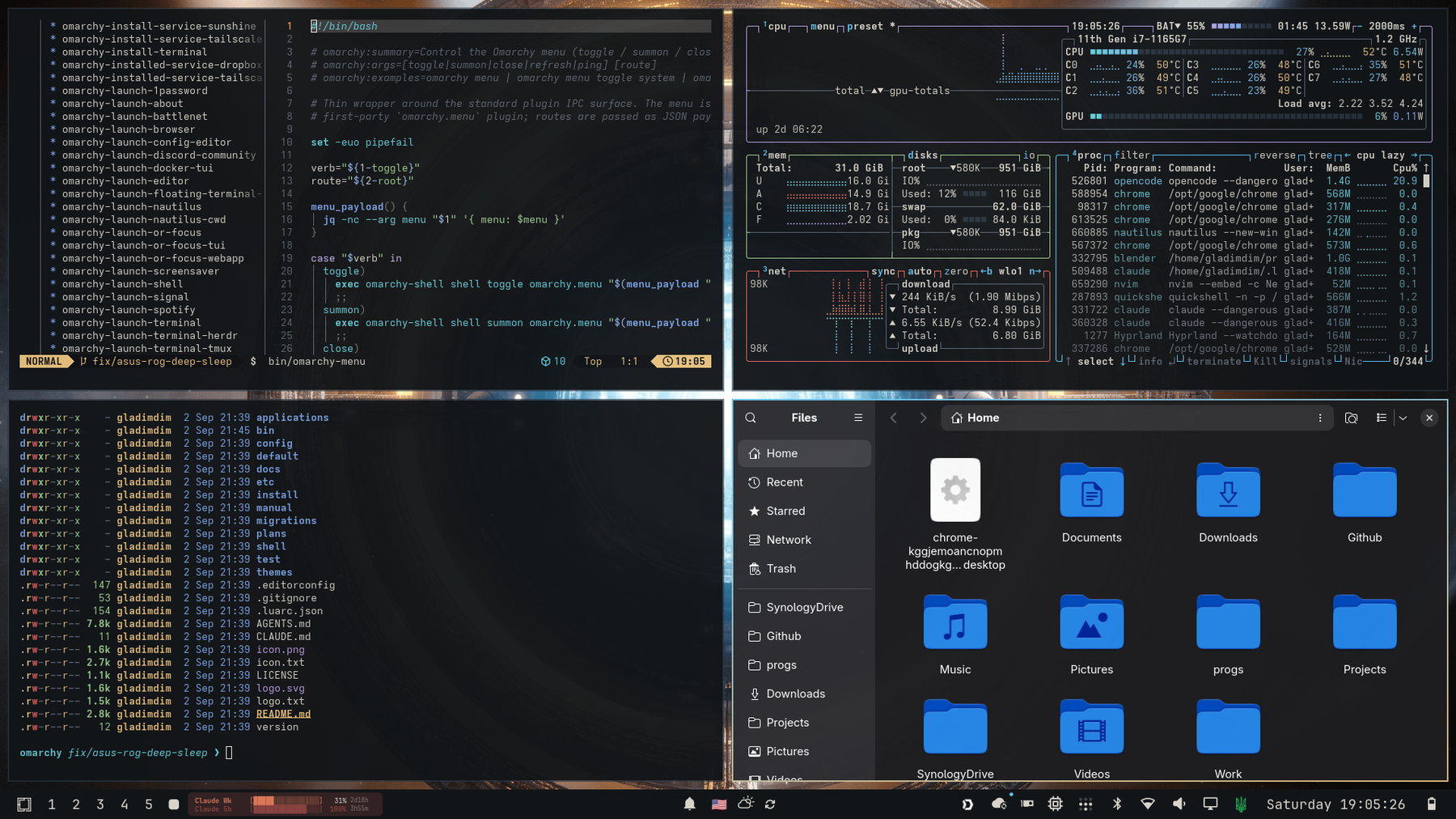
omarchy theme install https://github.com/gladimdim/omarchy-loca-deserta-dark-theme.git
omarchy theme set "Loca Deserta Dark"
Loca Deserta Light
The daylight companion: engineering drawings of the DARYA-class carrier on warm paper, with the same plasma, brass, and laser hues.
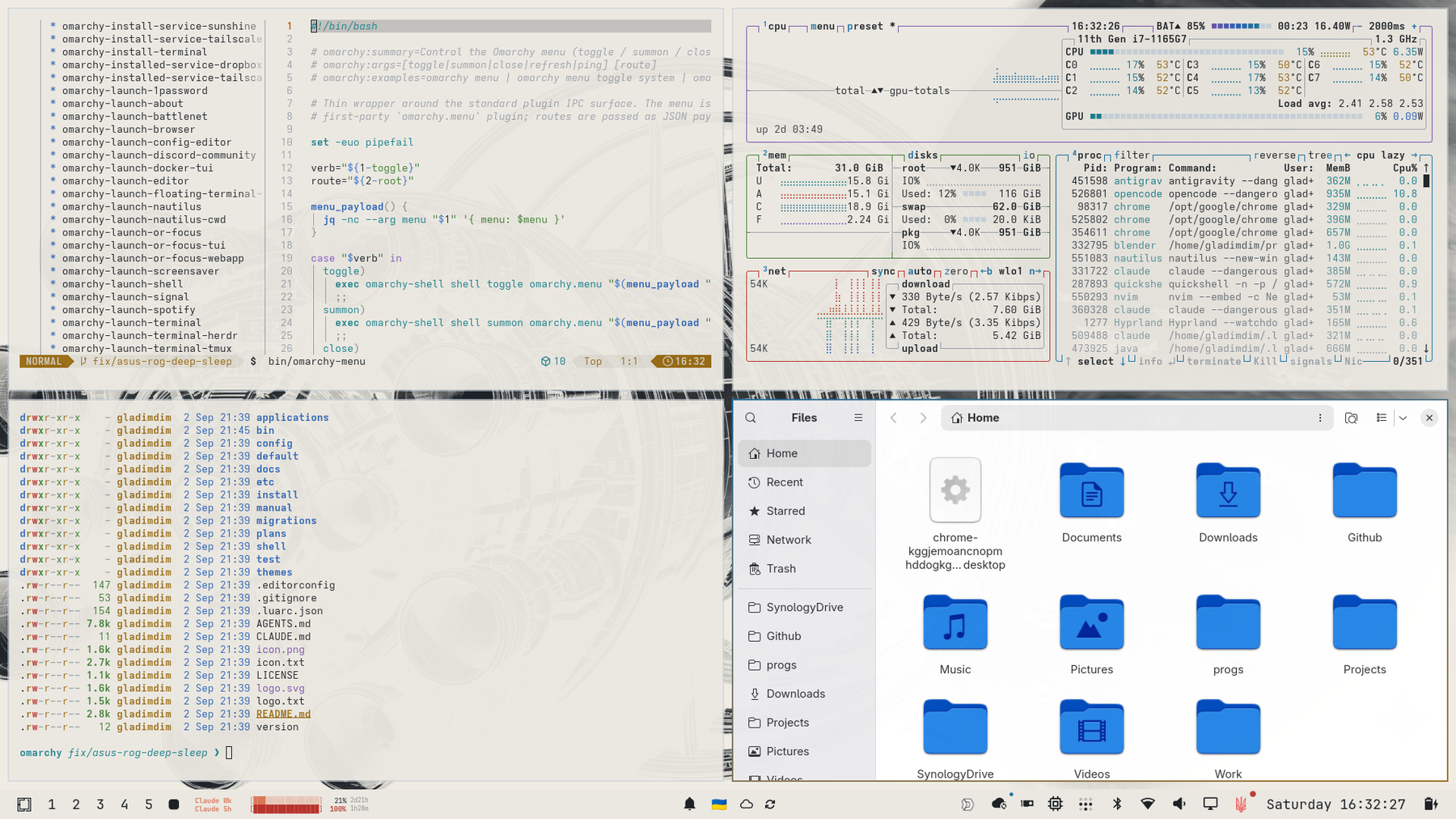
omarchy theme install https://github.com/gladimdim/omarchy-loca-deserta-light-theme.git
omarchy theme set "Loca Deserta Light"