---
title: "Release Checklist — Pre-Release Asset Validation (Premium)"
url: https://dmytrogladkyi.com/GladRoTools/release-checklist/
date: 2026-05-11
author: Dmytro Gladkyi
tags: ["gladrotools","roblox","macos","premium"]
description: "Validate Roblox place assets before release by checking broken references, oversized media, heavy meshes, and risky scripts."
---
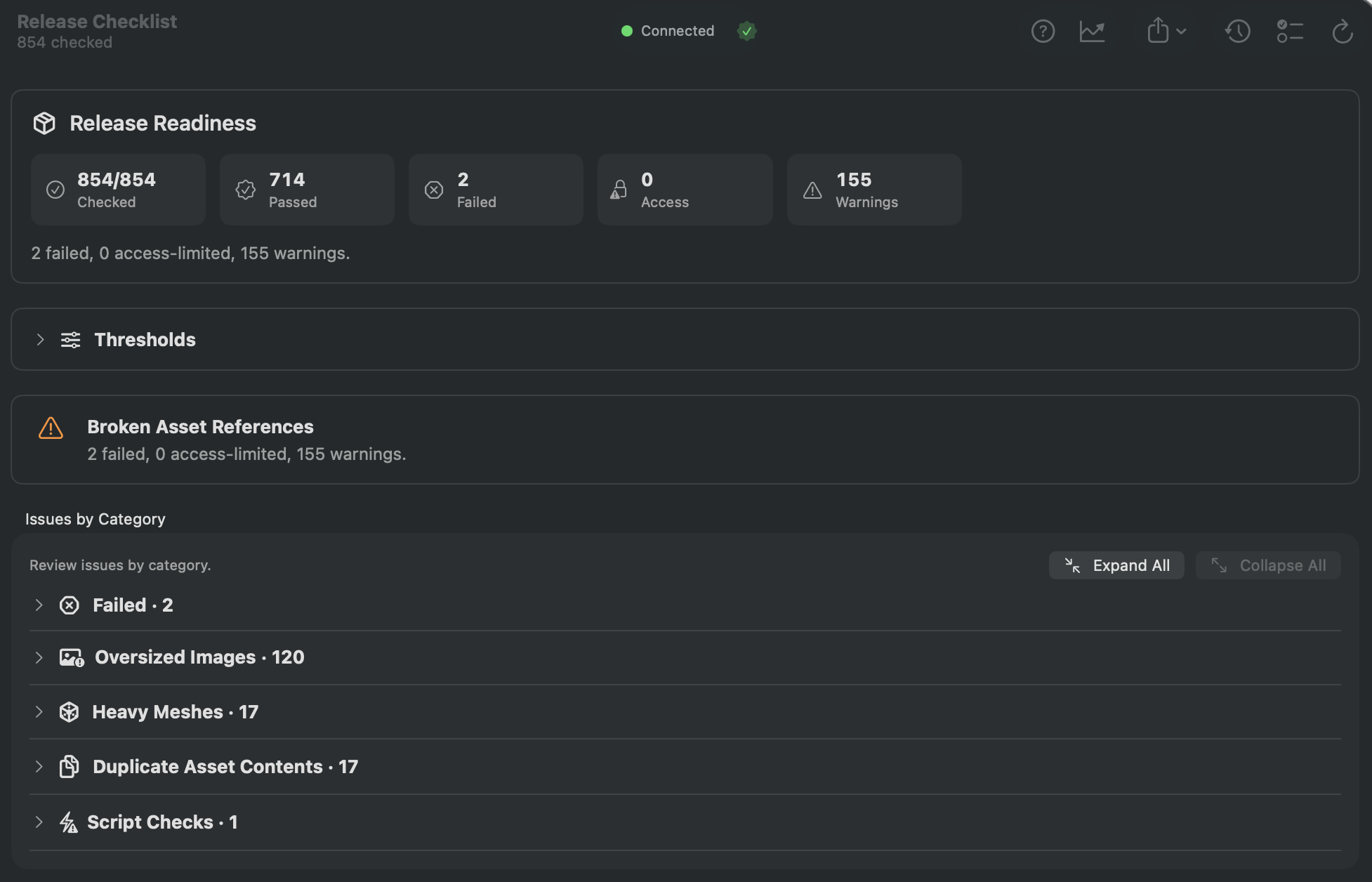
**Release Checklist** validates every asset your place references before you ship. It downloads each asset and checks for broken references, oversized images, heavy meshes, duplicate content, and risky script patterns. The goal: catch problems before your players do.
 ---
## How to Use
1. Click **Release Checklist** in the sidebar (requires [GladRoTools Pro](https://dmytrogladkyi.com/GladRoTools/subscription/)).
2. Configure thresholds:
- **Max image dimension** (default: 1024 px).
- **Max image byte size** (default: 500 KB).
- **Max mesh triangles** (default: 5,000).
3. Click **Run Checklist**.
4. Review results by category:
5.
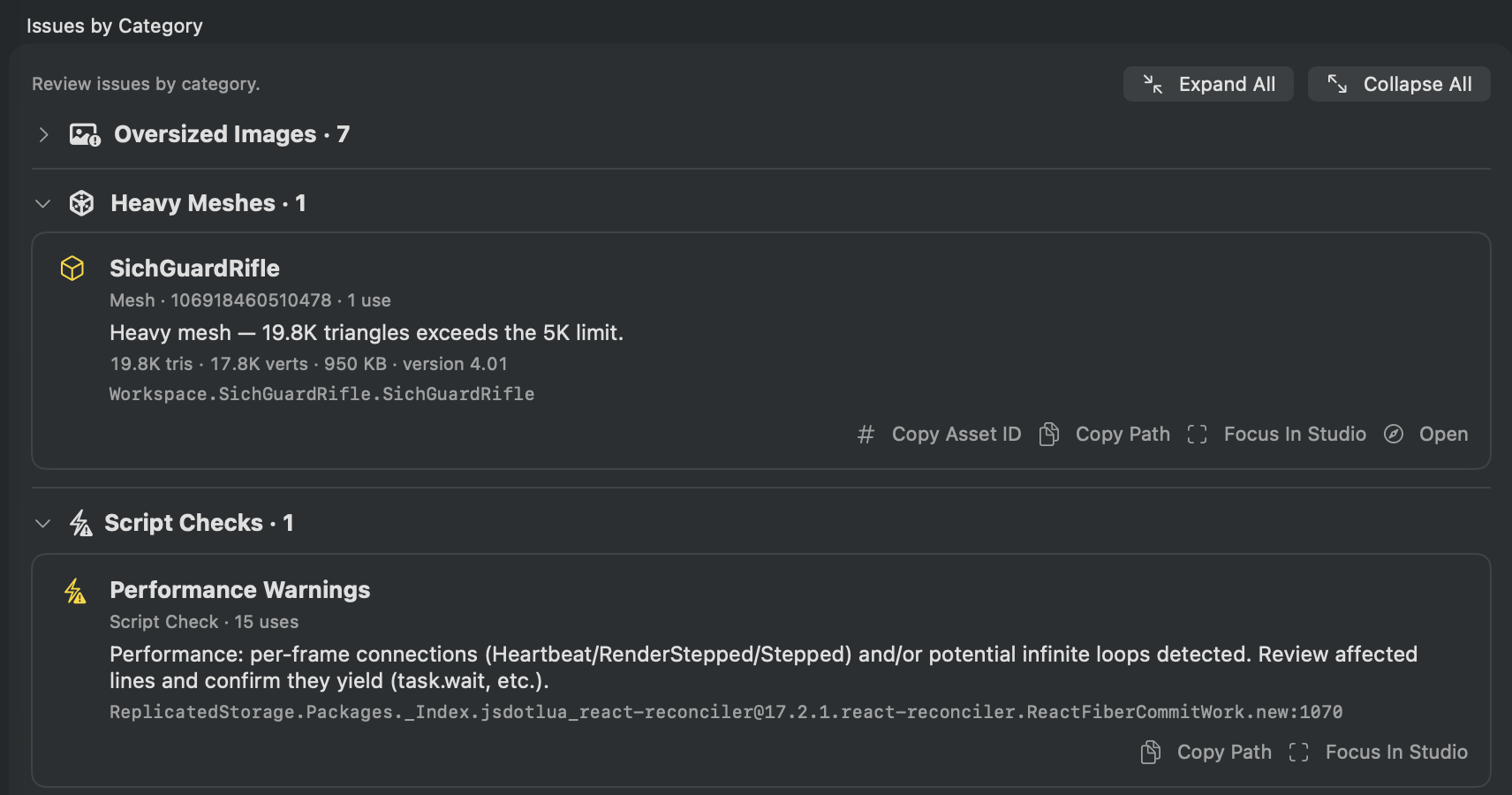 ### Checks Performed
| Check | What It Flags |
| --------------------- | --------------------------------------------------------------------------------- |
| **Broken References** | Assets that fail to download — they will appear as missing in-game. |
| **Access-Limited** | Assets that exist but are permission-restricted — may break for other users. |
| **Oversized Images** | Images exceeding your pixel or byte thresholds — slow to download on mobile. |
| **Heavy Meshes** | Meshes exceeding your triangle threshold — expensive to render. |
| **Duplicate Content** | Same bytes under multiple asset IDs — wasted uploads. |
| **Script Patterns** | Per-frame connections (`Heartbeat`, `RenderStepped`), potentially infinite loops. |
5. **Export** results as Markdown or PDF for your team or release notes.
6. View **Improvements Tracking** to see how many issues you have fixed across runs.
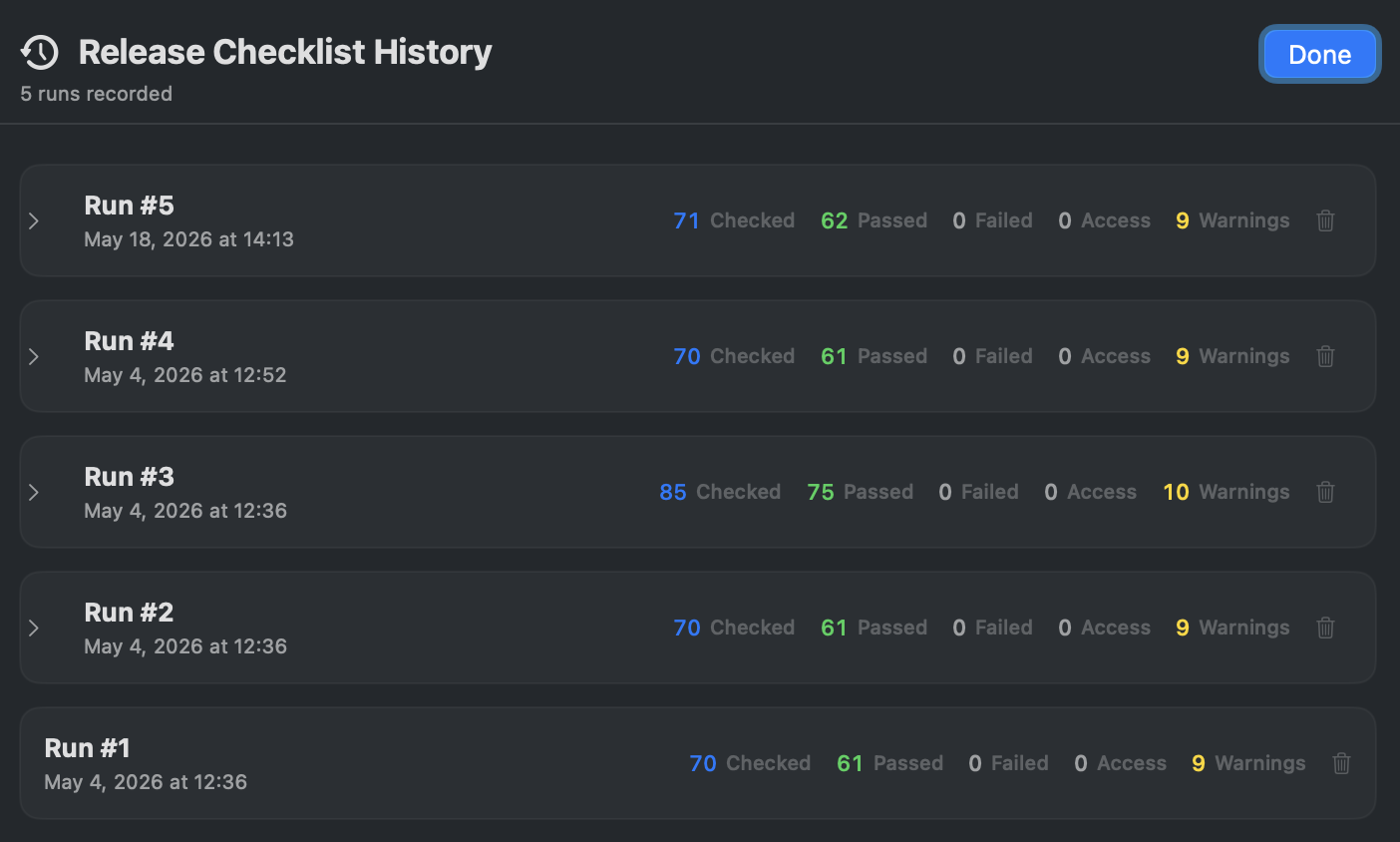
7. Browse **History** to compare checklist snapshots over time.
 ---
## Help & Tips
- **Run before every release.** The checklist is your last line of defense. Make it part of your release workflow.
- **Duplicate content saves Robux:** Finding duplicate bytes means you can delete the redundant asset IDs and re-link instances, saving upload costs and download time.
- **Improvements tracking is motivating:** The persistent stats show cumulative issues fixed. It is satisfying to watch the numbers go up over multiple releases.
- **Requires Roblox Sign In:** Full functionality (downloading asset bytes for size verification, duplicate detection) requires signing in with your Roblox account.
---
## FAQ
### What is the difference between Performance Audit and Release Checklist?
**Performance Audit** scores your place against budget presets for ongoing optimization. **Release Checklist** is a pass/fail validation for shipping — it focuses on broken references, oversized assets, and duplicates that would directly impact players.
### Can I ignore specific items?
Yes. Use the exclusion list to mark known-and-accepted items so they do not re-appear on every run.
### Does the checklist modify my place?
No. It is read-only validation. It reports issues for you to fix manually in Studio.