The Magic of Start/Update Events in Unity’s MonoBehaviour
If you programmed at least something in the Unity then you definitely extended the ** MonoBehaviour** class and defined your custom Start, Update, Awake, etc methods.
But the method is private and it is not possible to override private methods in C# . They have to be either public or protected…
And did you know that…these methods were not derived from the parent MonoBehaviour class?
 // Start is called before the first frame update
void Start()
{
    audioSource = GetComponent<AudioSource>();
    player = FindObjectOfType<PlayerController>();
    if (objectPool.Count == 0)
    {
        prepareContainerObjects();
    }

    hideRequirementInfo();
}


// Update is called once per frame
void Update()
{
    processAction();
}
Go to MonoBehaviour.cs and check that it has no methods. Also its parent - Behaviour…
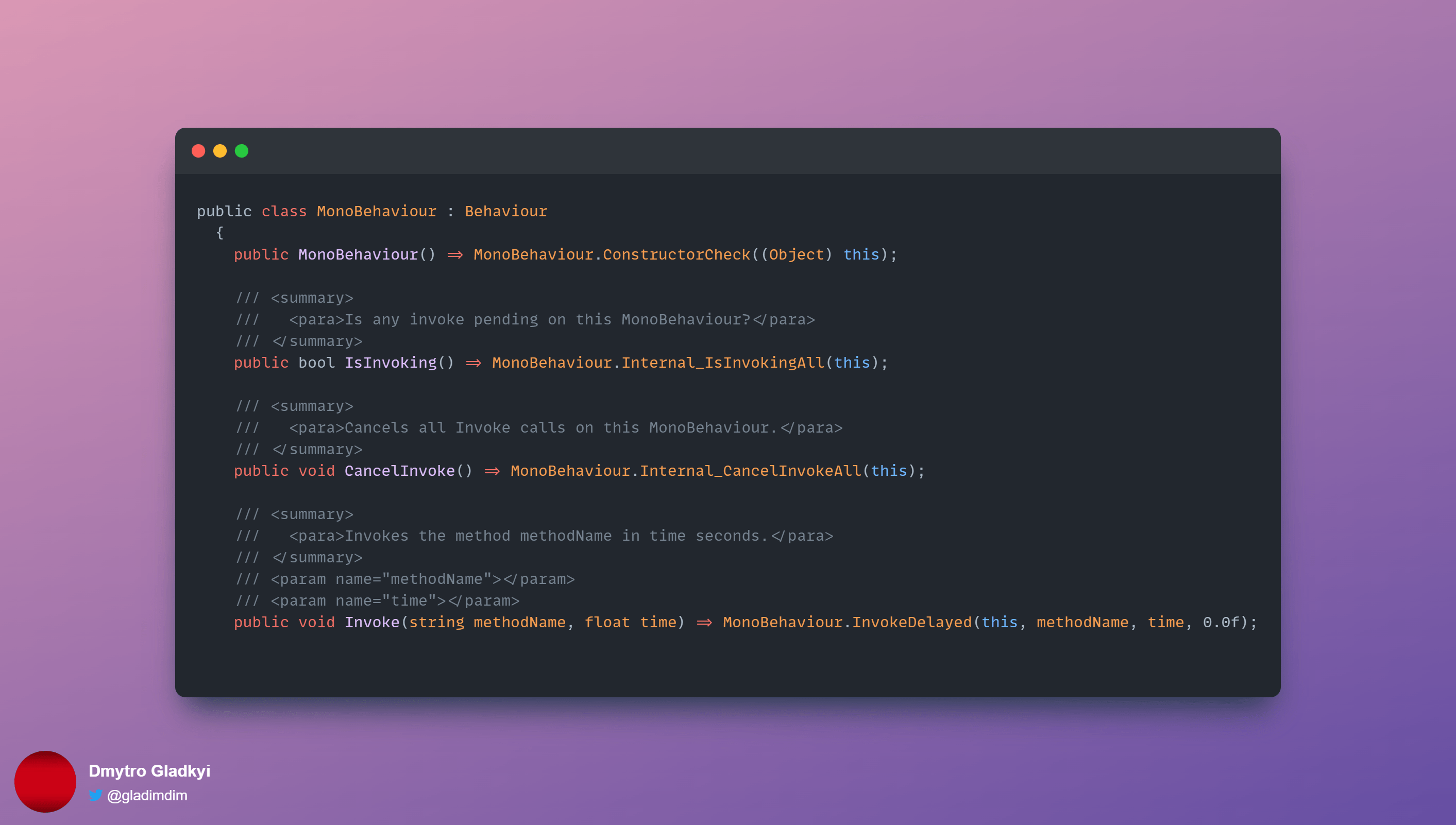
Then how does it work? How does Unity know there is Start method that should be called on ** MonoBehaviour** subclasses?
Event System
Easy! Unity uses its own messaging system that’s using C# reflection feature
The methods Start/Update/etc are magic methods that can be defined in your MonoBehaviour subclasses. They do not override the implementation from base class. The Unity engine uses ** Component.SendMessage** method in order to dispatch commands to your MonoBehaviour subclass.
/// <summary>
///   <para>Calls the method named methodName on every MonoBehaviour in this game object.</para>
/// </summary>
/// <param name="methodName">Name of the method to call.</param>
/// <param name="value">Optional parameter for the method.</param>
/// <param name="options">Should an error be raised if the target object doesn't implement the method for the message?</param>
public void SendMessage(string methodName, object value) => this.SendMessage(methodName, value, SendMessageOptions.RequireReceiver);
The class hierarchy looks like this for your script:
YourScript -> MonoBehaviour -> Behaviour -> Component
So, whenever the Unity engine decides to call Update method on all objects it calls ** Component.SendMessage** method on the object . It checks whether Start/Update/Whatever from the magic list of methods is defined and will call them.
So what?
So, if you have these events with empty bodies - delete them from your code! Before that I thought that defining empty method had 0 impact as it would be called anyway from parent class. But as you can see from the investigation: the call will be ignored! So you can save another 1-2 nanoseconds on each object as the Engine will just skip it.